
When Jellyfin, Emby, or Plex can see only ZimaOS-HD and not the HDD, NVMe, or RAID where your media actually lives, the problem is usually not that Docker “lacks permission to the NAS.” A container can only browse host folders that ZimaOS maps into it as volumes.
This was the core fix in the June 2024 source thread. ETWang1991 told users to open the app's settings and add the new storage as a volume. The original poster replied that it then worked “like a charm,” and another Jellyfin user later reached the same conclusion after seeing the screenshots.
A Docker App Does Not See the Whole ZimaOS Host Filesystem
Container isolation is intentional. Jellyfin can see /Media inside its container only if that path has been mapped to a real host directory containing the media.
A drive appearing in ZimaOS Files does not automatically make it visible inside every App Store container.
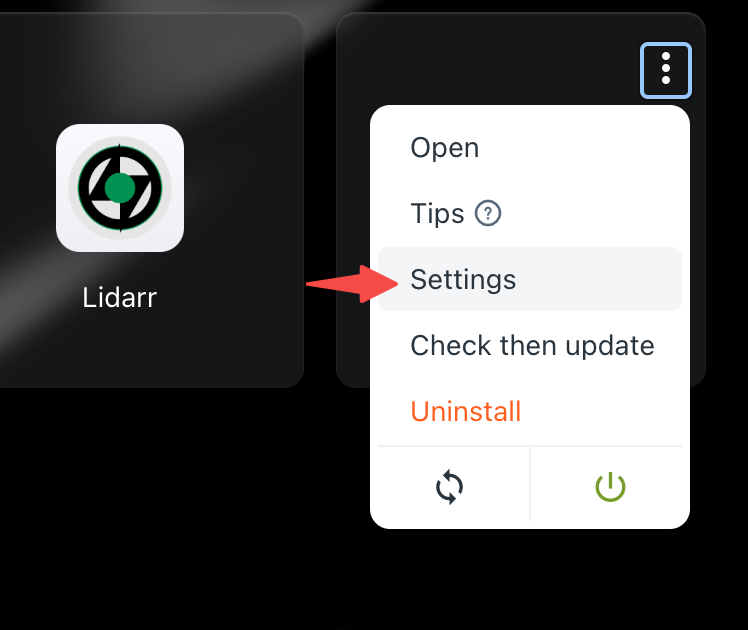
Open the App's Settings and Edit Volumes
Choose the Real Host Media Folder
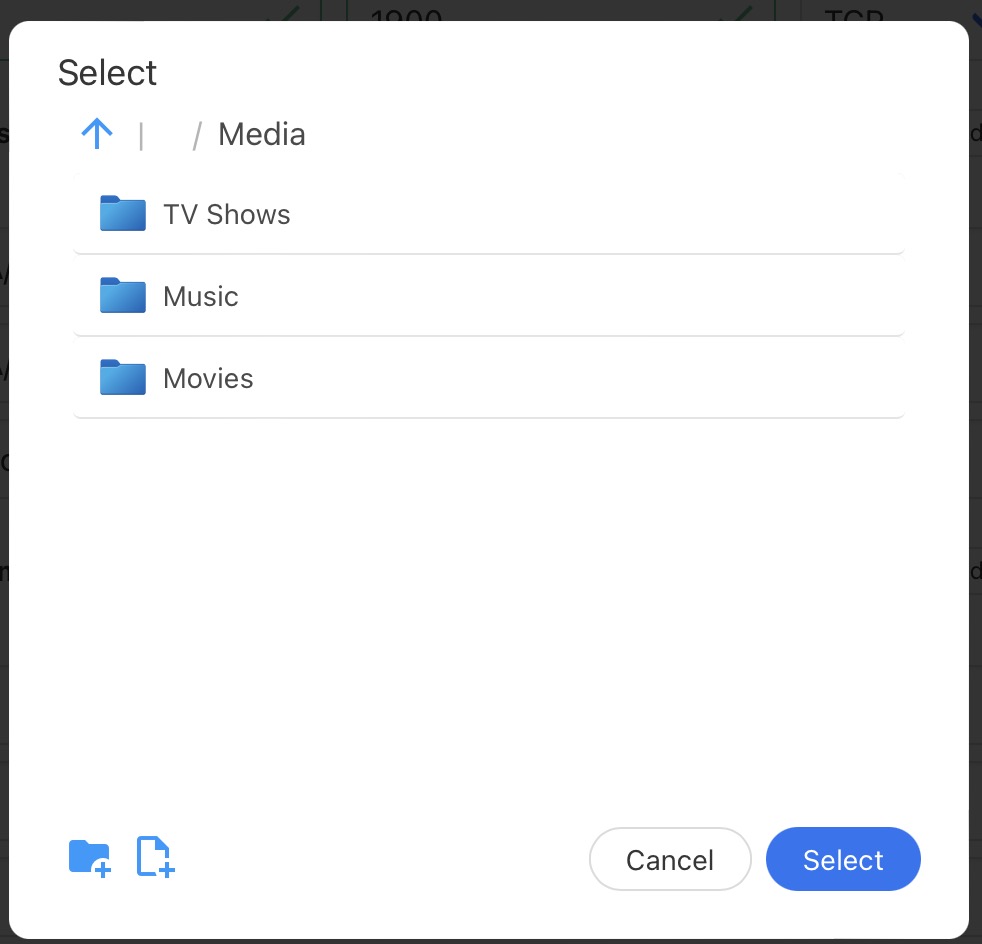
Pick the directory on the actual storage space that contains your library rather than typing a guessed top-level path such as /Main-Storage.
Host and Container Paths Have Different Jobs
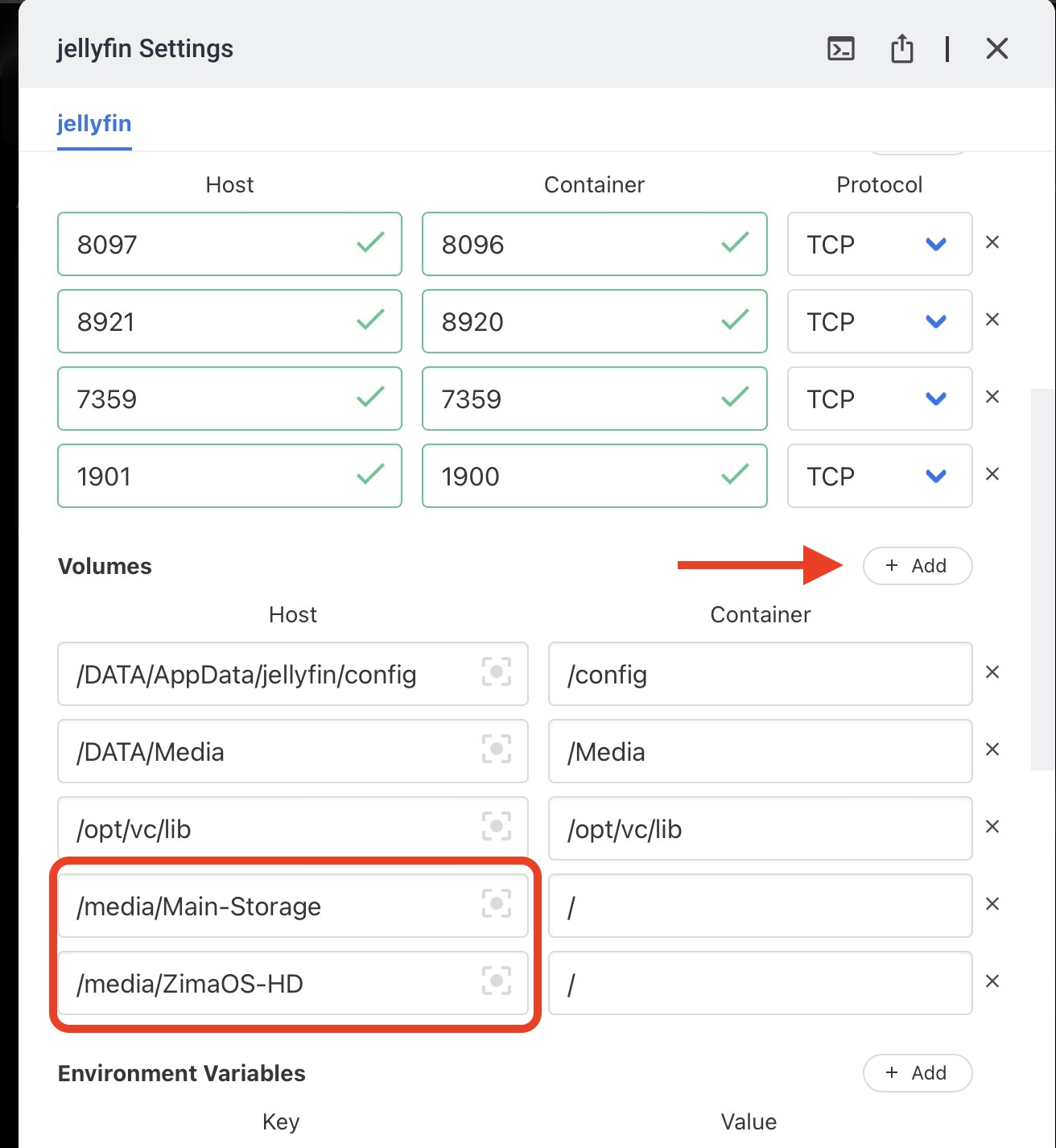
The container-side path should be simple and stable, such as /media or /Media. Inside Jellyfin, add libraries using that container path—not the raw host path.
Multiple Users Confirmed Volume Mapping Was the Missing Step
The original poster said the change worked. Another user with a RAID 5 Main-Storage initially saw only the OS disk, then replied that the screenshots gave them the idea: “I had to add the volumes to jellyfin.”
That is a source-confirmed resolution rather than a speculative permissions workaround.
Individually Added Disks Were a 2024 UI Pain Point
Some participants struggled to select individually enabled disks or RAID storage in the old picker. IceWhale staff replied that individual drives could be enabled and used, and later said the interface had been improved.
Those 2024 limitations belong to early ZimaOS. Current ZimaOS Storage and app settings expose managed storage much more clearly.
Current ZimaOS Explicitly Documents App Storage Paths
Current IceWhale documentation now explains that App Store containers keep persistent data in real host folders and that each app's volume mappings can be inspected and changed from its settings.
Use the current ZimaOS Docker app path model when mapping Jellyfin, Emby, Plex, or another app.
AppData Location and Media Location Are Separate
Application configuration/database files can live under the configured App Data location while large media files live on another RAID or HDD pool. Do not point the app's config volume at the movie folder or assume moving AppData moves every media library.
Current ZimaOS Can Move Managed App Data
Current Data Migration can move Docker Images and Docker Application Data to another storage space. That solves a different problem from adding a media volume: one controls where the app itself keeps persistent state; the other gives the container access to user media.
See the current managed app-data migration workflow.
Choose Read-Only Media Mounts When the App Does Not Need to Modify Files
A media server usually needs to read movies and music but does not necessarily need permission to delete or reorganize the source library. When the current app package allows it, mapping media read-only reduces the damage a compromised or misconfigured container can do.
Applications that intentionally rename, move, or import files—such as some download or photo-management stacks—need a different write-permission model.
Volume Mapping and Filesystem Permission Are Separate Checks
Adding the correct host folder is the first requirement. The container process must also have enough filesystem permission to read or write that folder. If a mapped directory appears but opens empty or returns permission errors, identify the container UID/GID and host ownership before using broad chmod 777 workarounds.
The 2024 source problem was primarily missing volume mapping; later permission issues should be diagnosed only after the correct path is actually mounted.
Keep the Container-Side Path Stable Across Reinstalls
If Jellyfin's library was created against /Media, changing the container path to /mnt/media2 during a reinstall can make the existing library appear missing even though the host files never moved.
Preserve the same container-side path when possible, or update the application library configuration deliberately after the mapping changes.
The Current UI Is Better Than the 2024 Picker, but the Docker Rule Has Not Changed
IceWhale acknowledged in the source that the old storage picker was confusing and later improved the interface. Current ZimaOS now exposes app-data location, host/container paths, storage migration, and app cache usage more directly.
The underlying Docker rule remains the same: a container only sees what is mounted into it.
App Storage Access FAQ
Why can ZimaOS Files see a drive while Jellyfin cannot?
Files runs at the host level; Jellyfin runs inside a container and sees only mapped volumes.
Was adding the volume confirmed to work in the source thread?
Yes. Multiple users reported success after adding the storage/media volume.
Should Jellyfin browse the raw host path?
No. Jellyfin should browse the container-side path assigned to the mapped host folder.


