
The source resolution is unusually clear: this was not a Docker failure affecting every application. The user had configured Tailscale with an exit-node setup, after which Jellyfin and other app URLs stopped working even on the local network. They later uninstalled Tailscale, connected through the ZimaOS LAN IP, and reported that everything worked again.
That behavior matches current Tailscale documentation. When a client uses an exit node, local-LAN access is disabled by default unless Allow Local Network Access is enabled. Before reinstalling applications or restarting Docker, verify the routing table and whether the client is intentionally sending traffic through an exit node.
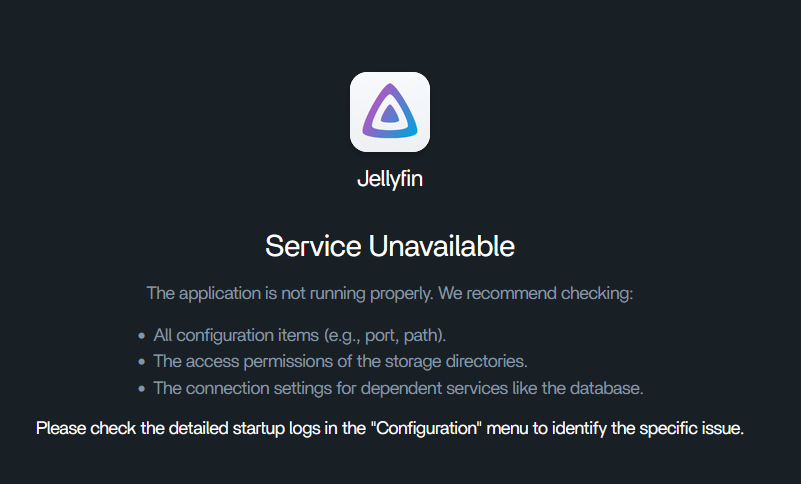
Direct App Ports Also Failed
The user tried opening application ports directly and said none worked except Tailscale. That is a useful clue: when multiple unrelated containers all become unreachable at once, test shared network/routing layers before assuming every application independently broke.
A Failed Docker Restart Command Was a Distraction

ZimaOS is not a generic Debian system where every service-management command from online tutorials applies. If all apps fail, first check whether the containers are actually running and whether their published ports are reachable from the host/LAN.
Exit Nodes Change the Client's Default Route
Tailscale exit nodes route general Internet traffic through another tailnet device. Current Tailscale documentation explicitly says local network access is off by default while an exit node is in use.
See the current Tailscale exit-node behavior.
Enable Allow Local Network Access When You Intentionally Need Both
Current Tailscale clients expose an Allow Local Network Access option. On CLI-based clients, the equivalent can be configured with the exit-node LAN-access flag.
Only enable this when the local network is trusted.
Disable the Exit Node to Isolate the Problem
A fast diagnostic is to select None as the active exit node and retry the ZimaOS LAN IP plus one app port. If local access immediately returns, the routing configuration—not Docker—is the high-value place to investigate.
The Original Poster Removed Tailscale and Confirmed Recovery
The user said the computer had been disconnecting from the router/local-IP path when it connected through their Tailscale configuration. After uninstalling Tailscale and using the local IP, every app worked again.
That is source-confirmed recovery, although the user did not document the exact exit-node flags that caused the bad behavior.
A Better Troubleshooting Order
- open the ZimaOS dashboard directly by LAN IP;
- check whether one app port works locally;
- disable the active Tailscale exit node;
- retry local app access;
- only then inspect Docker/app logs if ports are still unavailable.
All Apps Service Unavailable FAQ
Did reinstalling the apps fix the source problem?
No. The apps began working only after the problematic Tailscale routing state was removed.
Can a Tailscale exit node block local-LAN access?
Yes. Current Tailscale documentation says LAN access is disabled by default while using an exit node unless the user enables local network access.
Was Docker itself confirmed broken?
No. The source resolution points to routing rather than a Docker daemon failure.


