
This source thread has a strong version-specific conclusion. After upgrading a ZimaBoard 832 to ZimaOS 1.4.3, Docker failed to start automatically, the App Store could not install new apps, and existing apps could not launch. Zima-Giorgio said the team knew about the Docker-service issue and provided a temporary manual restart command.
The original poster confirmed the restart command solved the immediate problem, but also reported that Docker failed again after every host reboot. IceWhale's next release provides the missing boundary: ZimaOS 1.4.4 officially fixed a Docker startup failure caused by an insufficient service startup interval.
The Failure Appeared Immediately After the 1.4.3 Upgrade
The source user reported:
- Prowlarr update frozen;
- existing apps would not launch;
- new App Store installs failed;
- the UI reported it could not connect to the Docker daemon.
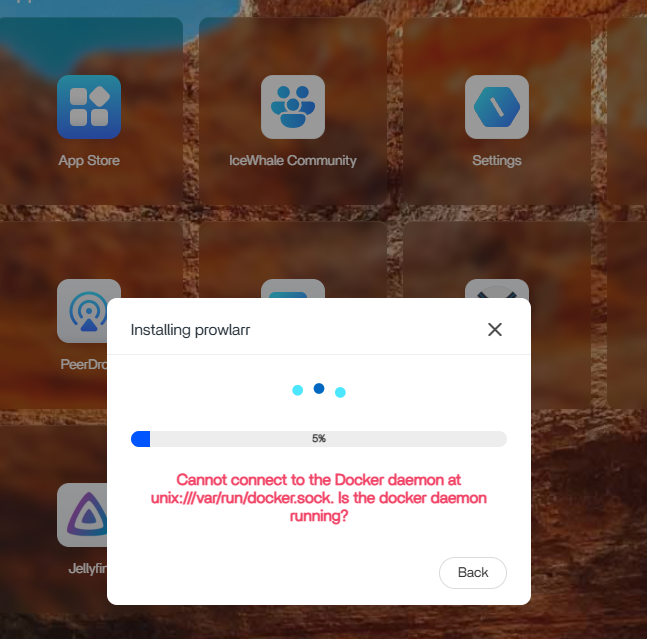
/var/run/docker.sock, blocking application installation and startup.IceWhale Called It a Known Docker-Service Issue
On August 26, Zima-Giorgio wrote that the team considered it a known Docker service issue and said a fix would be released.
He provided the temporary official workaround:
sudo -i
systemctl restart docker docker.socket
This command is valid historical IceWhale guidance for the 1.4.3 source case.
The Original Poster Confirmed Manual Docker Restart Worked
The user replied that restarting Docker as root through the CLI completely solved the immediate issue. That is source-confirmed success, not a speculative workaround.
However, the same user then rebooted the ZimaBoard and found Docker again failed to start automatically.
The Dashboard Could Show Apps as Started When Docker Was Not Healthy
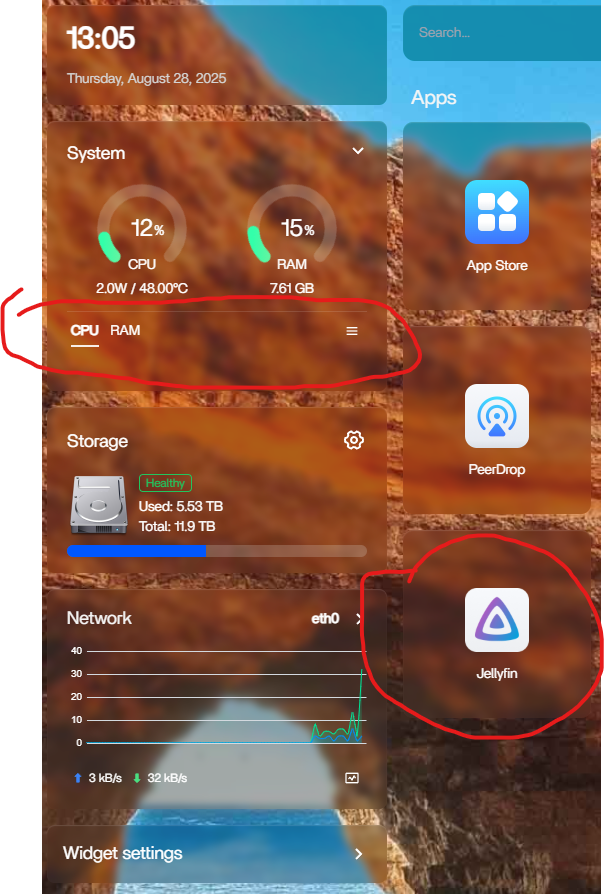
Restarting Docker Restored the Real App State
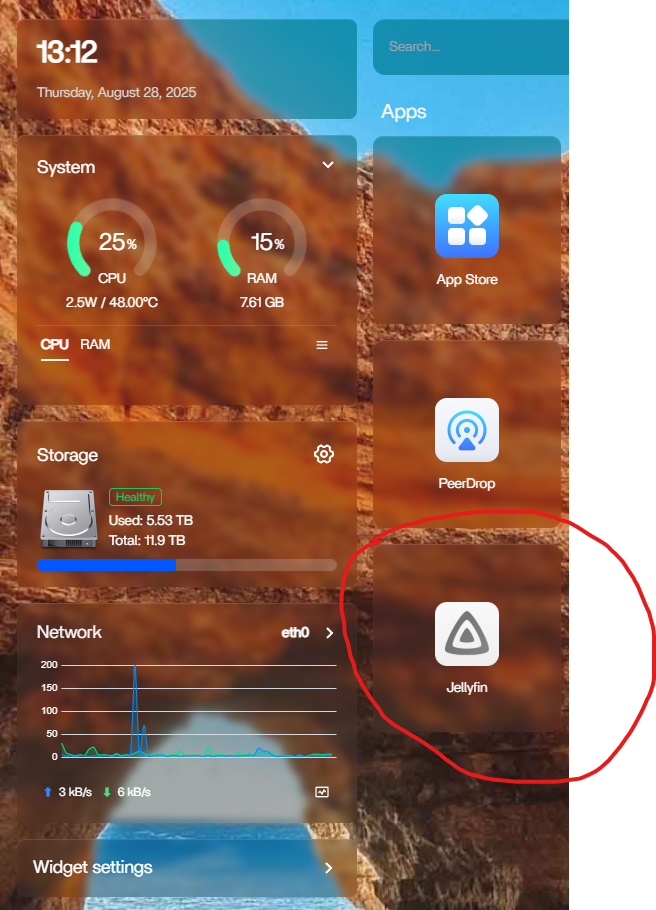
Manual App Restart Did Not Reliably Cure the Next Reboot
Zima-Giorgio said some reports suggested manually starting and restarting each app might help future reboot behavior. The original poster tested the idea but still saw the same false-start state after reboot.
That makes it important not to present per-app restart as the final source fix.
ZimaOS 1.4.4 Fixed the Docker Startup Timing Problem
IceWhale's official 1.4.4 release notes include:
- a fix for apps remaining in loading state after startup;
- a fix for Docker service startup interval being insufficient and causing startup failure;
- additional application-state and install-card fixes.
See the ZimaOS 1.4.4 Docker startup fixes for the historical product resolution.
Current Users Should Not Treat systemctl restart as the Permanent Fix
On a modern ZimaOS release, a Docker daemon that repeatedly fails after reboot indicates a current service, storage, runtime, or configuration problem. Restarting Docker can be a diagnostic action, but collect the real failure before normalizing a manual restart on every boot.
Useful current evidence includes:
-
systemctl status docker.service; -
journalctl -u docker.service; - system-disk free space;
- recent GPU/runtime overrides or host modifications;
- the exact current ZimaOS version.
A Similar Symptom Can Have a Different Root Cause
Another 1.4.3 discussion reported Docker failing because a custom NVIDIA runtime override remained in the systemd configuration. That is a different cause from the startup-timing issue in this source thread.
Do not remove service override files unless logs show that a specific override is actually breaking the daemon.
Docker Daemon 1.4.3 FAQ
Did IceWhale officially provide a manual Docker restart?
Yes. Zima-Giorgio posted systemctl restart docker docker.socket as the temporary 1.4.3 workaround.
Did the source user confirm it worked?
Yes, for the current boot. The failure returned after reboot.
Which release documented the product-level startup fix?
ZimaOS 1.4.4 fixed insufficient Docker service startup timing that could cause startup failure.


