
ZimaBoard 2 vs ZimaBlade: Which Home Server Should You Buy in 2026?
A practical comparison of ZimaBoard 2 and ZimaBlade across CPU performance, networking, storage, PCIe expansion, memory, Docker, NAS builds, and homelab workloads.
Updated September 8, 2026
ZimaBoard 2 832 vs ZimaBlade 7700: Verdict and Best Use Cases
Start with the direct answer, then use the scenario matrix to see which NAS fits each workload.
Best for faster networking and heavier home-server workloads
ZimaBoard 2 product page shows a current Intel N150 platform with dual 2.5GbE, two native SATA 3.0 connections, onboard LPDDR5 memory, eMMC system storage, and PCIe 3.0 expansion. That combination makes ZimaBoard 2 the stronger starting point when one small server is expected to handle several roles at the same time, such as storage, Docker applications, virtual machines, network services, media, and selected local AI workloads.
Best for an affordable first DIY server or compact two-drive NAS
The ZimaBlade product page positions the platform as a compact x86 server for personal cloud, Docker, backups, media, and hands-on projects. ZimaBlade keeps two SATA 3.0 connections and exposed PCIe expansion, while its DDR3L SO-DIMM slot lets the owner choose or replace memory. The trade-off is a slower processor class and a single Gigabit Ethernet interface.
| Use Case | Better Choice | Why |
|---|---|---|
| First DIY home server | ZimaBlade | Its simpler hardware target and lower-cost entry position make it easier to justify for learning self-hosting without buying more compute than the project needs. |
| Two-drive home NAS | Depends | Both expose two SATA 3.0 connections. ZimaBlade is attractive for a basic DIY NAS; ZimaBoard 2 is better when the NAS also needs faster networking or heavier applications. |
| Docker and multiple services | ZimaBoard 2 | The Intel N150 and faster LPDDR5 platform provide more headroom for running several containers and background services together. |
| Pi-hole, VPN, or Home Assistant | ZimaBlade | These lighter always-on services fit the workload profile ZimaBlade is designed to handle without requiring the newer ZimaBoard 2 platform. |
| Proxmox and virtual machines | ZimaBoard 2 | The newer CPU platform and 8GB or 16GB onboard memory configurations give virtualization more practical headroom. |
| Fast NAS networking | ZimaBoard 2 | Two 2.5GbE ports provide substantially more network flexibility than a single Gigabit Ethernet connection. |
| Replaceable system memory | ZimaBlade | ZimaBlade uses a DDR3L SO-DIMM slot supporting up to 16GB, while ZimaBoard 2 uses soldered LPDDR5 memory. |
| PCIe experimentation | ZimaBoard 2 | Both platforms expose PCIe, but ZimaBoard 2 uses the newer PCIe 3.0 generation while ZimaBlade uses PCIe 2.0 x4. |
| Media server with light direct play | Depends | ZimaBlade can serve lightweight Plex or Jellyfin libraries, while ZimaBoard 2 leaves more compute headroom when media is only one of several simultaneous services. |
| Network appliance or router | ZimaBoard 2 | Dual 2.5GbE interfaces are more suitable for routing, firewall, and segmented-network projects than a single Gigabit port. |
ZimaBoard 2 832 vs ZimaBlade 7700 Specifications
The main table compares the closest standard configurations only, so higher-end SKUs do not distort the baseline comparison.
| Specification | ZimaBoard 2 832 | ZimaBlade 7700 |
|---|---|---|
| CPU | Intel N150, 4 cores, up to 3.60 GHz | Intel Celeron quad-core; N3450, J3455, or E3950 depending on unit |
| Memory | 8GB LPDDR5 4800MHz, soldered | 1 × DDR3L SO-DIMM, user-configurable up to 16GB |
| Onboard Storage | 32GB eMMC | 32GB eMMC |
| SATA | 2 × SATA 3.0 | 2 × SATA 3.0 |
| Ethernet | 2 × 2.5GbE | 1 × Gigabit Ethernet |
| PCIe | PCIe 3.0 expansion | PCIe 2.0 x4 |
| Display | Mini DisplayPort 1.4, up to 4K@60Hz | Mini DisplayPort 1.2, up to 4K@60Hz |
| Memory Upgrade After Purchase | No; LPDDR5 is onboard | Yes; DDR3L SO-DIMM is replaceable |
| Cooling Approach | Fanless passive cooling; package also includes a cooling fan | Passive compact server design |
| Typical Positioning | Home server, networking, homelab, heavier multi-service builds | Entry-level NAS, first DIY build, lightweight self-hosting |
Primary comparison baseline: ZimaBoard 2 832 vs ZimaBlade 7700. The 832 is the most common entry point in the current ZimaBoard 2 family, while the 7700 is the higher-headroom ZimaBlade model. They are not identical price-tier products, so this comparison focuses on what the additional ZimaBoard 2 hardware capability changes in real home-server use.
Category-by-Category Comparison
What the specification differences mean for storage, networking, software, self-hosting, media, and local AI.
CPU Performance and Multitasking
The biggest architectural difference is the processor generation. ZimaBoard 2 uses Intel N150, a four-core chip that reaches up to 3.60 GHz. ZimaBlade 7700 uses one of several older quad-core Intel Celeron processors depending on the unit. That does not make ZimaBlade unsuitable for servers; it changes the size of the workload that makes sense.
ZimaBlade is well matched to services such as ad blocking, VPN, Home Assistant, file sharing, backups, and a modest container stack. ZimaBoard 2 has more room for simultaneous applications, virtual machines, indexing, heavier media services, and network tasks. A creator-led Gerard homelab review shows the 16GB ZimaBoard 2 model running both virtual-machine and Docker workflows, which helps illustrate the type of multi-service homelab the newer platform is intended to support.
Performance verdict: Choose ZimaBoard 2 when one device needs to carry several substantial services. Choose ZimaBlade when the workload is intentionally smaller and efficiency, simplicity, and experimentation matter more.
Networking: Dual 2.5GbE Changes the Server Role
Networking is one of the clearest reasons to move from ZimaBlade to ZimaBoard 2. ZimaBlade has a single Gigabit Ethernet port. ZimaBoard 2 provides two 2.5GbE interfaces. For a basic backup target, personal cloud, or lightweight application server, Gigabit Ethernet can still be sufficient.
Dual 2.5GbE becomes more useful when the system is also a router, firewall, multi-network service host, or faster local NAS. Two independent interfaces also create more flexible layouts for separating networks or passing traffic through a server. The YOTECH home server review focuses on this combination of native SATA, dual 2.5GbE, and PCIe expansion as a major distinction from a conventional compact computer.
Networking verdict: ZimaBoard 2 is the stronger choice for fast NAS transfers, routing, firewall projects, and multi-interface network services. ZimaBlade is adequate when a single Gigabit link matches the workload.
Storage: Both Start With Two Native SATA Connections
Storage is more balanced than the CPU or networking comparison. Both families expose two SATA 3.0 connections, so either can form the basis of a compact two-drive server. This is important because the choice is not simply “ZimaBoard 2 for NAS, ZimaBlade for everything smaller.”
A ZimaBlade Dual-Bay NAS Kit can make sense for backup, personal cloud, file sharing, or a modest media library. ZimaBoard 2 becomes more attractive when the same storage server is also expected to run additional containers, provide faster LAN transfers, or grow through PCIe.
Storage verdict: For a simple two-drive DIY NAS, either platform can work. ZimaBlade emphasizes an accessible DIY entry point; ZimaBoard 2 adds networking and compute headroom around the same basic two-SATA concept.
Memory: Faster Onboard RAM vs Replaceable SO-DIMM
ZimaBoard 2 832 includes 8GB of LPDDR5 memory, while the 1664 doubles that to 16GB. The memory is soldered, so buyers should choose the capacity they expect to need. ZimaBlade takes the opposite approach: one DDR3L SO-DIMM slot supports up to 16GB and lets the owner install or replace memory.
That makes ZimaBlade unusually friendly to a maker who already owns compatible DDR3L or wants to assemble the system piece by piece. The SjslTech ZimaBlade unboxing shows this DIY character directly: the creator installs memory and treats the board as a starting platform rather than a sealed appliance.
Memory verdict: ZimaBoard 2 offers the faster modern memory platform; ZimaBlade offers more hands-on memory flexibility.
PCIe Expansion and Long-Term Tinkering
Both devices preserve the expansion philosophy that separates them from many sealed mini PCs. ZimaBoard 2 exposes PCIe 3.0 expansion, while ZimaBlade exposes PCIe 2.0 x4. That means both can support compatible expansion projects, but ZimaBoard 2 starts from a newer interface generation.
In practice, the right choice depends on the card and workload. A faster NIC, NVMe adapter, storage controller, or selected accelerator may benefit from the newer ZimaBoard 2 platform. ZimaBlade still provides something valuable at the entry level: an exposed PCIe path on a very small x86 server.
Expansion verdict: Both reward experimentation, but ZimaBoard 2 is the better base when expansion performance matters.
Docker, Virtual Machines, and Self-Hosting
Both product families are x86 servers, so they avoid many of the software-image limitations that can appear when moving between ARM boards and conventional desktop/server software. ZimaBlade is well suited to smaller Docker stacks and services such as Nextcloud, AdGuard Home, Home Assistant, Jellyfin, Plex, and Syncthing when the workload is sized appropriately.
ZimaBoard 2 is the more comfortable choice when containers are only part of the plan. Its stronger CPU, faster networking, and higher integrated memory options make it more suitable for a machine that may also host virtual machines or more demanding background services. The local AI assistant test provides an example of how the newer board can be pushed beyond conventional NAS and utility-server tasks.
Self-hosting verdict: ZimaBlade is a practical lightweight Docker host. ZimaBoard 2 is the safer choice for a growing homelab where service count and workload complexity are expected to increase.
Which Platform Is Better for Plex and Jellyfin?
ZimaBlade's current product guidance explicitly positions it for lightweight Plex or Jellyfin use and direct play. That is an important distinction: a media library that mostly serves compatible files is much easier to run than a server that must repeatedly transcode demanding formats while also running other applications.
ZimaBoard 2 should be preferred when the media server is part of a larger workload, or when more compute headroom is desirable. Neither product should be chosen solely from the word “Plex” without considering codecs, client compatibility, simultaneous users, storage speed, and whether transcoding is required.
Media verdict: ZimaBlade is sufficient for a modest direct-play library; ZimaBoard 2 offers more margin for a multi-service media homelab.
Pros, Cons, and Which One Should You Buy?
Bring the important trade-offs and final buyer recommendations together in one decision section.
Pros
- Intel N150 processor with substantially more modern compute headroom.
- Dual 2.5GbE for faster NAS and networking projects.
- 8GB or 16GB LPDDR5 configurations.
- Two native SATA 3.0 connections.
- PCIe 3.0 expansion.
- Stronger fit for virtualization and multi-service homelabs.
Cons
- Higher entry cost than ZimaBlade.
- LPDDR5 memory is soldered and cannot be replaced later.
- May be more hardware than a simple Pi-hole, VPN, or backup server requires.
Pros
- Lower-cost entry into x86 self-hosting.
- Replaceable DDR3L SO-DIMM memory up to 16GB.
- Two native SATA 3.0 connections.
- PCIe 2.0 x4 expansion remains available.
- Good fit for lightweight Docker, Home Assistant, backups, and first NAS projects.
- Very compact DIY-oriented form factor.
Cons
- Older Celeron platform provides less compute headroom.
- Only one Gigabit Ethernet interface.
- Board Only requires compatible RAM and a 12V USB-C power adapter.
- Less suitable for heavier virtualization or rapidly growing service stacks.
You expect the server to grow into a central homelab node: multiple Docker services, virtual machines, fast NAS access, firewall or routing projects, media, and other workloads that benefit from the Intel N150 and dual 2.5GbE.
You want an affordable x86 starting point for a two-drive DIY NAS, Home Assistant, Pi-hole, VPN, backups, a modest media library, or a lightweight Docker host, and you value replaceable memory.
You need four or more internal drive bays, built-in 10GbE, large-scale virtual machines, or a turnkey consumer NAS appliance with no hardware assembly. A larger NAS or server platform will fit those requirements better.
SKU Family: What Changes Above the Standard Models?
The head-to-head comparison stays focused on ZimaBoard 2 832 and ZimaBlade 7700. Higher-end variants are explained separately here.
| Model | Key Difference | Best For |
|---|---|---|
| ZimaBoard 2 832 | Intel N150, 8GB LPDDR5, 32GB eMMC | Everyday home server, NAS, Docker, networking, and first ZimaBoard 2 build |
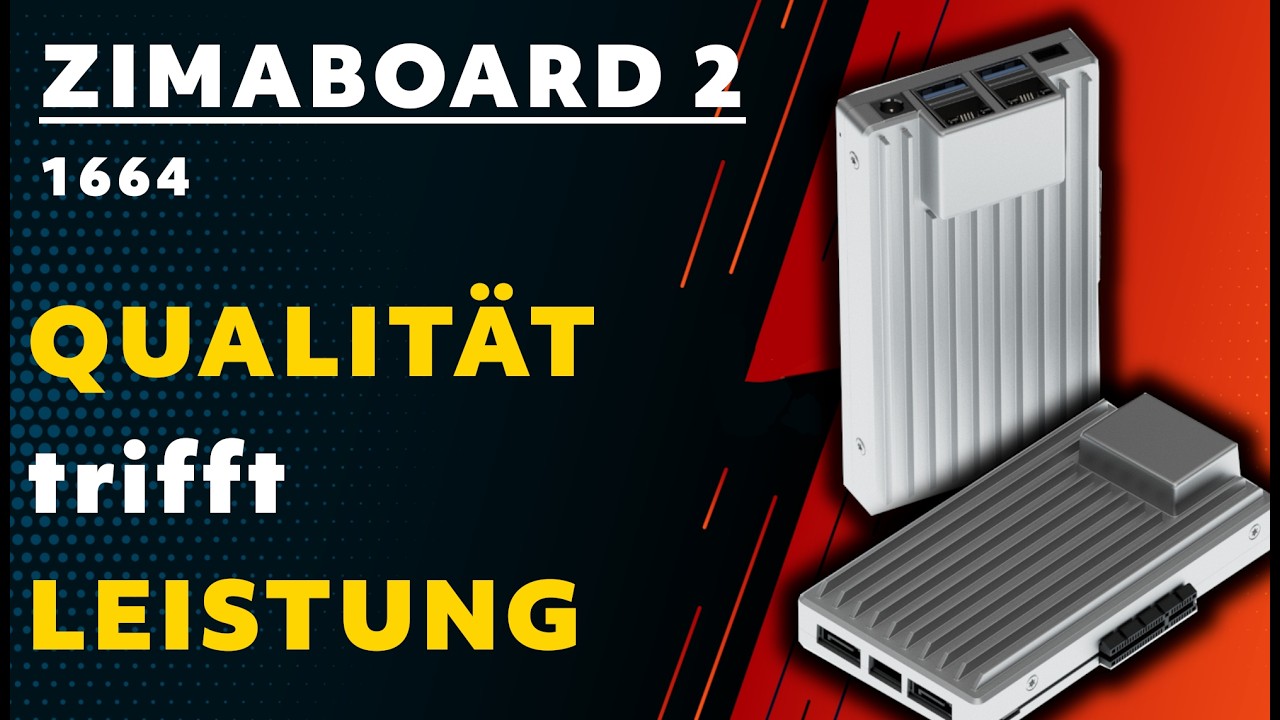
| ZimaBoard 2 1664 | Intel N150, 16GB LPDDR5, 64GB eMMC | More containers, virtual machines, media services, and workloads that need additional memory |
| ZimaBlade 3760 | Intel Celeron N3350 dual-core; user-installed DDR3L | Pi-hole, VPN, backup, lightweight NAS, and first DIY server projects |
| ZimaBlade 7700 | Intel Celeron quad-core; user-installed DDR3L | Plex direct play, several Docker services, Home Assistant, and a more capable small NAS |
The family decision is therefore not only ZimaBoard 2 versus ZimaBlade. Within ZimaBoard 2, the 1664 is the better fit when memory pressure is likely to grow. Within ZimaBlade, the 7700 is the more sensible starting point for users who already know they want several services rather than one lightweight utility.
Watch and Read More About ZimaBoard 2 and ZimaBlade
Three creator videos and three related Zima articles add real-world context beyond the comparison tables.
Watch Creator Videos



Frequently Asked Questions
Long-tail buying questions, SKU questions, and query fan-out from the comparison.
Is ZimaBoard 2 better than ZimaBlade?
ZimaBoard 2 is the better choice for faster networking, heavier multitasking, virtual machines, and a growing homelab. ZimaBlade is the better value when the goal is a lightweight DIY NAS, small Docker host, Home Assistant server, or first x86 self-hosting project.
Which is better for a home NAS?
Both provide two SATA 3.0 connections. Choose ZimaBlade for a basic two-drive DIY NAS where Gigabit Ethernet is sufficient. Choose ZimaBoard 2 when the NAS also needs dual 2.5GbE, additional services, or more compute headroom.
Which is better for Docker?
Both can run Docker workloads. ZimaBlade is well suited to a smaller container stack, while ZimaBoard 2 is better when several services, indexing tasks, media applications, or other background workloads run together.
Can ZimaBlade run Plex or Jellyfin?
Yes. ZimaBlade is best suited to lightweight personal media use and direct play. If the system must handle more demanding transcoding or run many other services at the same time, ZimaBoard 2 provides more performance headroom.
Which is better for Proxmox?
ZimaBoard 2 is the stronger general choice because the Intel N150 platform and 8GB or 16GB LPDDR5 configurations give virtual machines more practical headroom. ZimaBlade can still be used as a learning server when guest workloads are kept modest.
Can I upgrade the RAM?
ZimaBlade uses a replaceable DDR3L SO-DIMM and supports up to 16GB. ZimaBoard 2 uses soldered LPDDR5, so buyers choose either the 8GB 832 or the 16GB 1664 configuration at purchase.
Which has faster networking?
ZimaBoard 2 has two 2.5GbE Ethernet ports. ZimaBlade has one Gigabit Ethernet port. That makes ZimaBoard 2 the more capable platform for fast NAS transfers, routing, firewalls, and multi-interface networking projects.
Which ZimaBlade model should I buy?
Choose Blade 3760 for lighter services such as Pi-hole, VPN, backups, or a first DIY server. Choose Blade 7700 when you want more headroom for Plex, several Docker services, Home Assistant, or a small two-drive NAS.


