
The original IceWhale tutorial showed how simple a Palworld server could feel on ZimaBlade: install a Palworld Dedicated Server app in CasaOS, set the server name/password, launch Palworld, and connect to the ZimaBlade's IP. That workflow is still conceptually useful, but the 2024 third-party App Store package should not be treated as the current technical baseline.
Pocketpair now publishes an official Palworld Dedicated Server Docker image plus sample Compose files. Current server guidance recommends 4 CPU cores, 16 GB RAM, fast SSD storage, and UDP port 8211 by default. An 8 GB machine may boot the server but Pocketpair warns that out-of-memory crashes become more likely.

Check the Current Server Requirements Before Installing
Pocketpair's current dedicated-server guide recommends:
- 4 CPU cores or more;
- 16 GB RAM;
- more than 32 GB RAM for larger/heavier servers;
- a fast SSD;
- 64-bit Linux or Windows;
- UDP port 8211 by default.
A 16 GB ZimaBlade configuration is a much better fit than an 8 GB system for current Palworld server workloads.
See the current Palworld server requirements.
Use Pocketpair's Official Docker Image for a Current Deployment
Pocketpair now maintains an official Docker image and sample Compose configuration. The upstream project documents start/stop, logs, configuration, save paths, and image updates.
Use the official Palworld Docker deployment instead of relying on the old CasaOS-Play ZIP.
Persist the Saved Directory
The official Compose model generates server data under a persistent Saved directory. That includes world saves and configuration that must survive container recreation.
Map the persistent server data to real NAS storage and back it up before game/server upgrades.
The Source's Server Name and Password Concept Still Applies
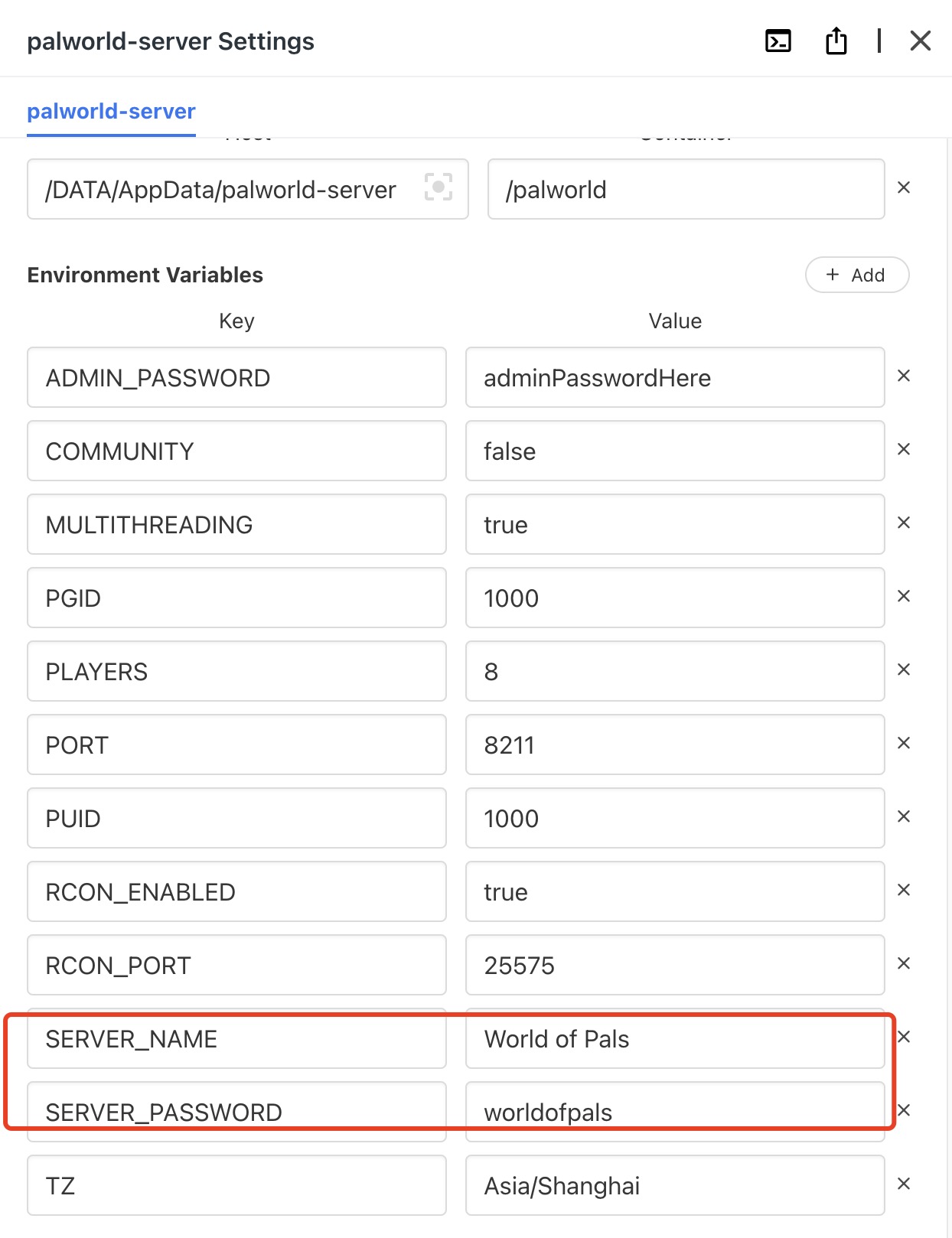
Current Pocketpair Docker guidance puts many server arguments in Compose and game settings in PalWorldSettings.ini. Do not assume every old environment-variable name is supported by the official image.
LAN Play and Internet Play Need Different Network Setup
On the same LAN, players can use the server's private IP and port. Internet players need a reachable public path to UDP 8211 or another configured port, with router/firewall rules appropriate to the network.
Do not expose unrelated CasaOS/ZimaOS management ports just to publish the game server.
The Source Joined by IP from Palworld Multiplayer

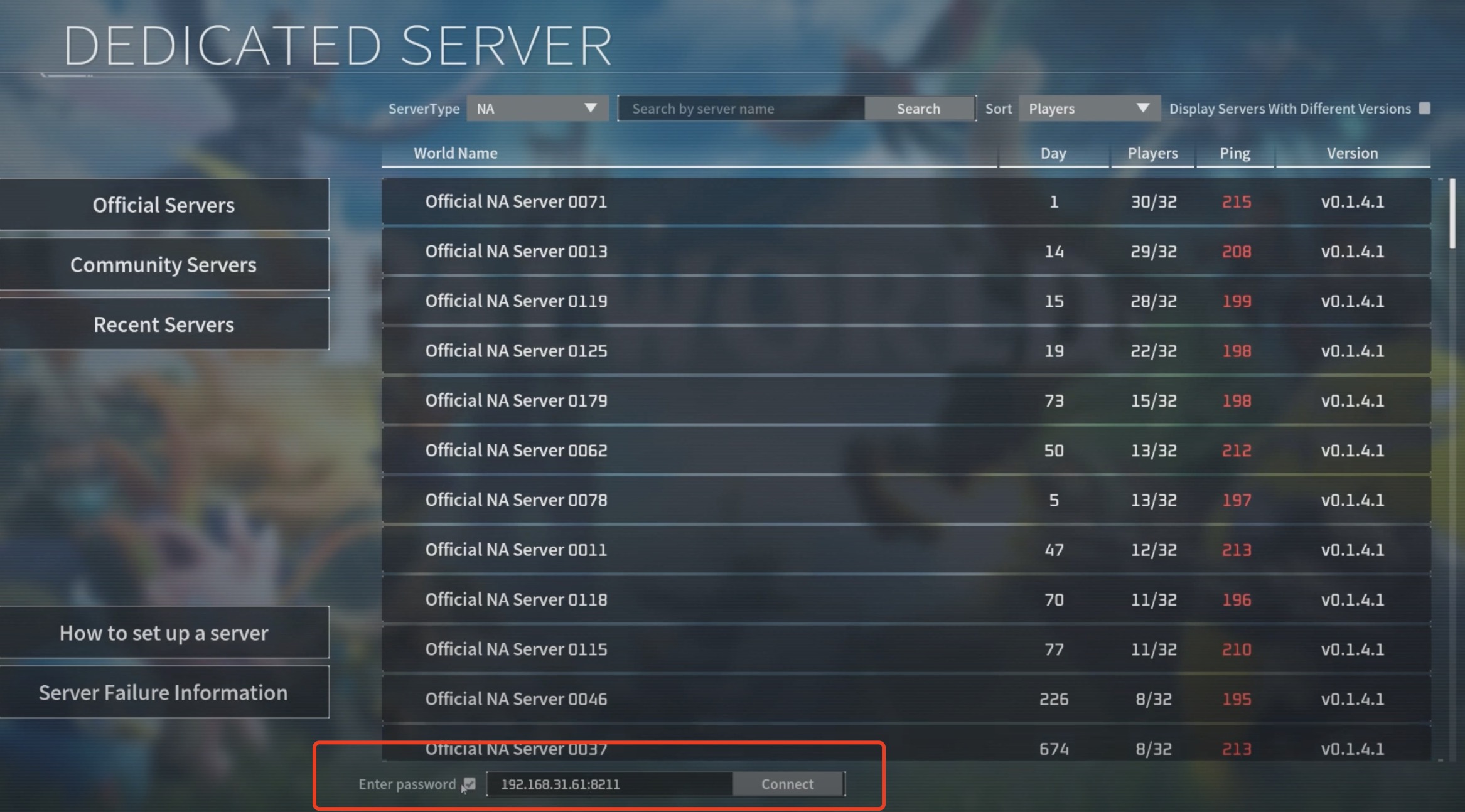
Back Up Saves Before Updating the Image
Pocketpair's current Docker instructions explicitly recommend backing up before changing the server image tag and recreating the service. Game updates can change server/client compatibility and save data behavior.
Palworld Server FAQ
Is the old CasaOS-Play Palworld package still the preferred current source?
No. Pocketpair now publishes an official Docker image and Compose examples.
How much RAM does Pocketpair currently recommend?
16 GB for the server, with more than 32 GB recommended for larger deployments.
What should be backed up?
The persistent Palworld save/config data, especially before image or game updates.


