
A Note from Zima
Thank you, Ted, for documenting the ZimaCube 2 as a system that grows in layers rather than a finished appliance. Your Pioneer build records the successful upgrades, the storage benchmarks, the Immich migration, and the parts that fought back — including a Thunderbolt path that eventually became an OCuLink solution. By publishing the measurements, workarounds, mistakes, and changing hardware decisions as the build develops, you are giving the community something more useful than a final spec sheet: a record of how a real ZimaOS homelab evolves.
— Zima
Meet ted-knight
Ted-knight is documenting one of the more methodical ZimaCube 2 builds in the Pioneer Program. His ZimaCube 2 Build is not organized around one final configuration. Instead, the project is divided into phases, with each layer tested before the next one is added.
The goal behind the build is straightforward: create a NAS that can be trusted with important data today while leaving enough room for self-hosting, media, local AI, and other workloads later. That has led ted through storage architecture, ZFS, btrfs, RAM and NVMe upgrades, OCuLink expansion, benchmarking, ZimaOS integration, Immich migration, and an increasingly detailed roadmap for what the machine may become next.
He started with the ZimaCube 2 Standard: an Intel Core i3-1215U system with 8GB DDR5 and a 256GB NVMe system drive. The original configuration did not stay original for long.
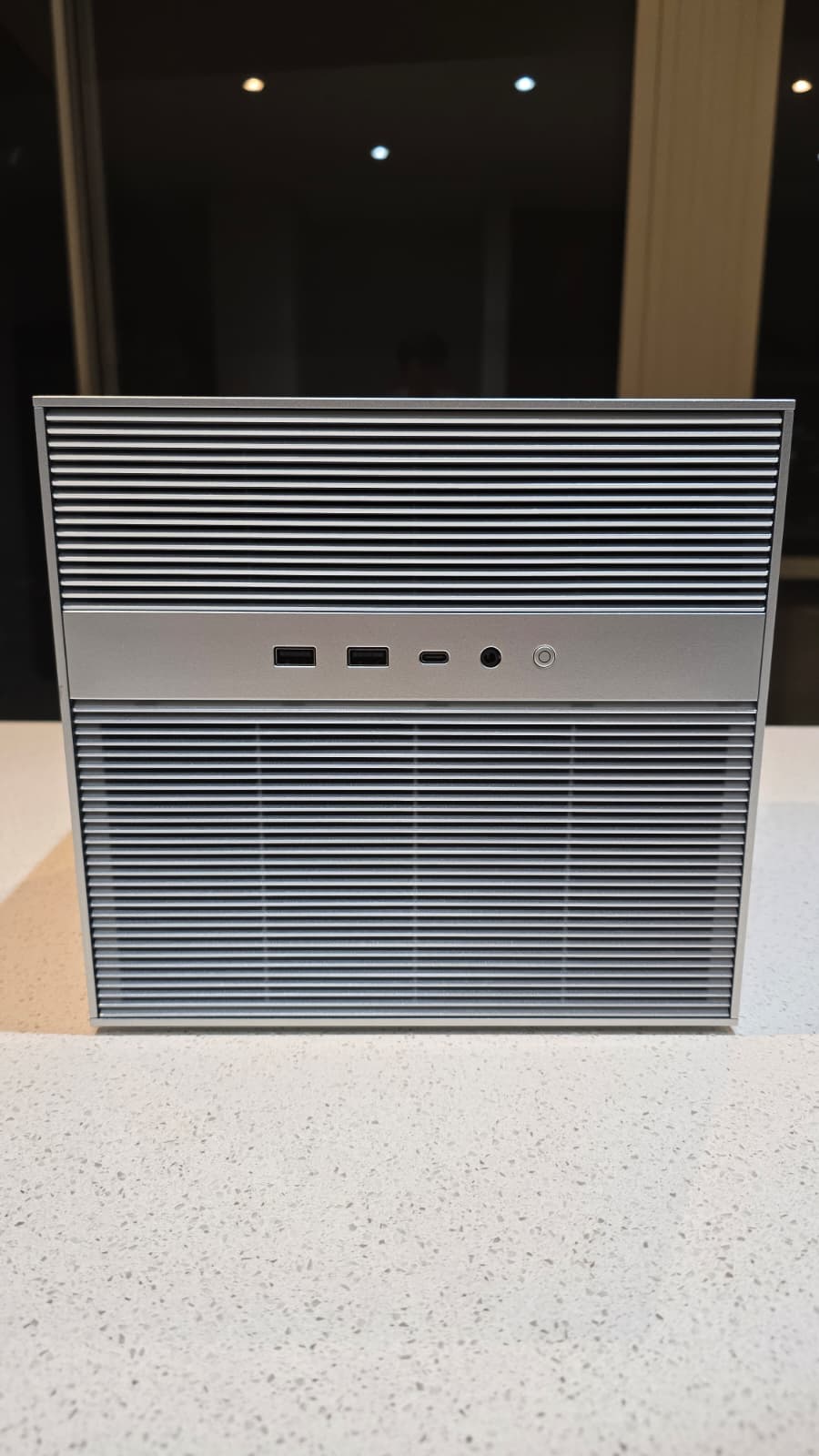
Building the Storage Foundation Before Adding More Services
Ted's first priority was not filling the server with applications. It was deciding where different kinds of data should live.
The resulting system uses several storage tiers with deliberately different jobs. ZimaOS remains on its own 256GB Kingston NVMe. A Crucial P510 2TB NVMe became Arctic-Storage, a btrfs tier for AppData, Docker images, databases, and other active workloads. Four 2TB NVMe drives form glacier, a ZFS RAIDZ1 pool with roughly 5.5TB of usable space. Later, four 4TB Seagate IronWolf drives became a 12TB btrfs RAID5 pool for bulk media and colder data.
The architecture is less about making every drive behave the same and more about matching storage to workload. Random-I/O-heavy databases belong on the fast P510. Larger sequential workloads and data that benefit from ZFS checksums and redundancy can live on glacier. Bulk media can move to the higher-capacity IronWolf tier.
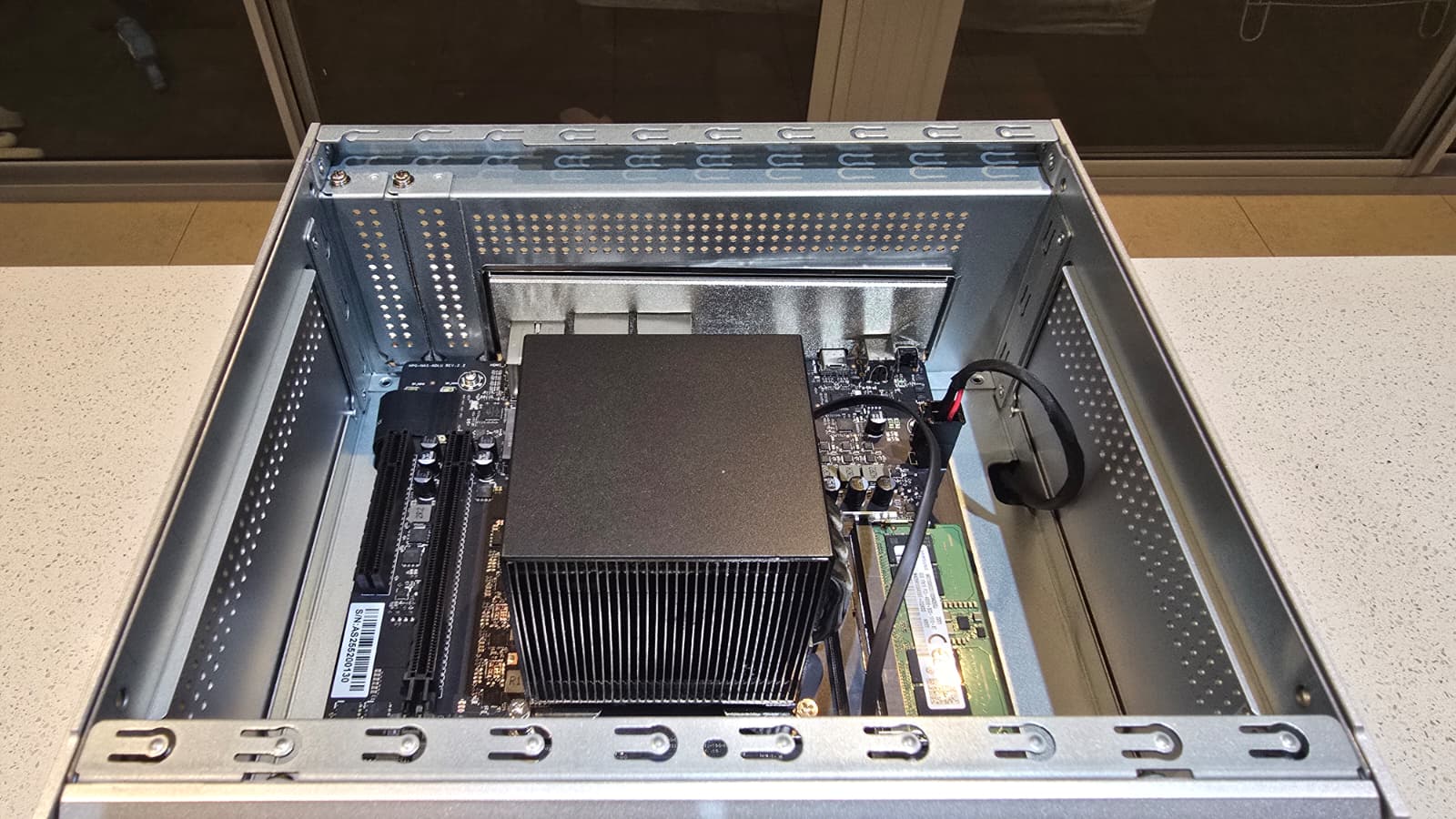
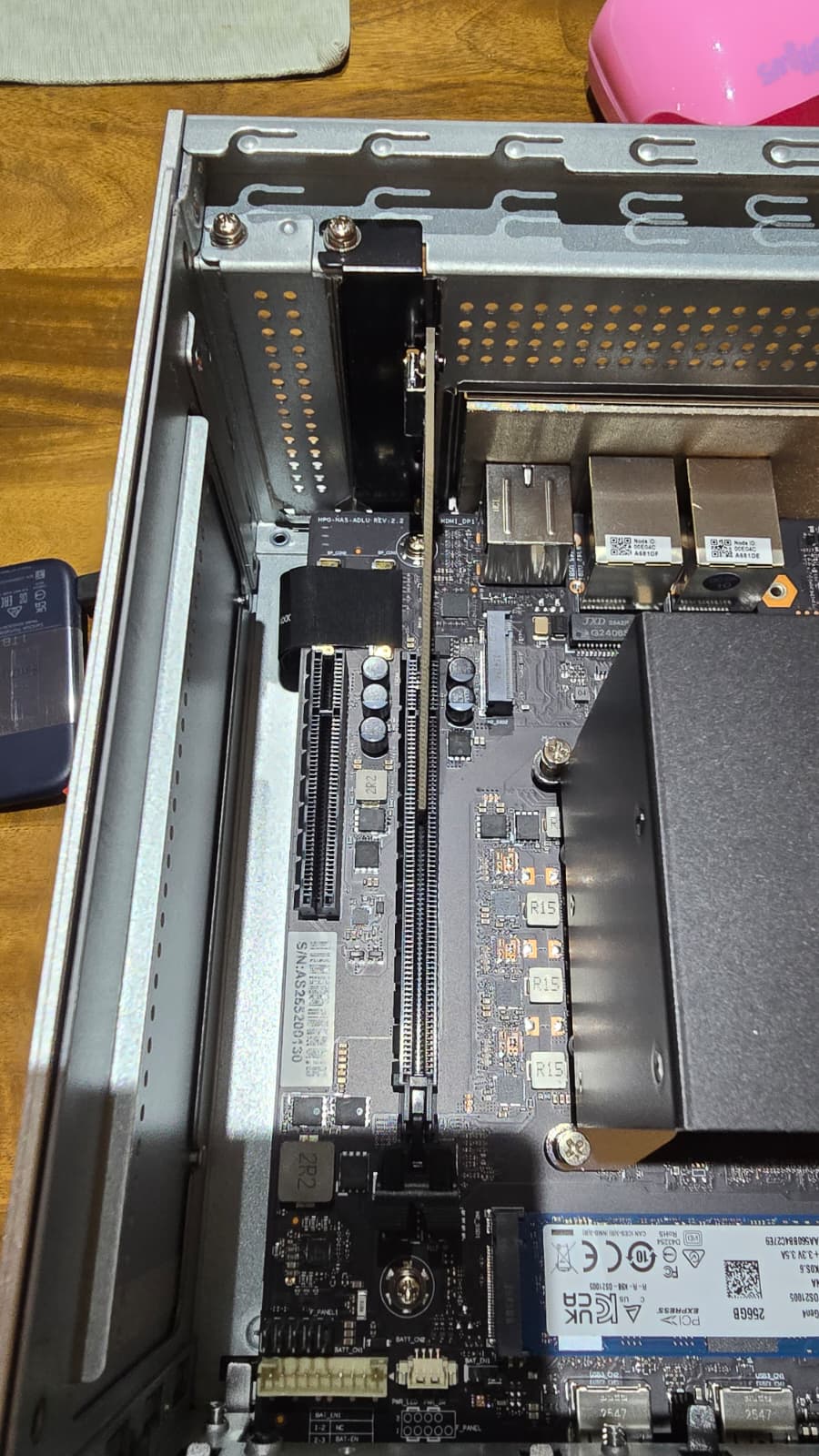
When Thunderbolt 4 Did Not Work, the Architecture Changed
One of the most useful parts of ted's project is that the failed experiments remain in the documentation.
The original plan was to connect an Aoostar TB4S-OC four-NVMe enclosure to the ZimaCube 2 through Thunderbolt 4. Ted tested different 40Gbps cables, both Thunderbolt ports, external power, and the underlying kernel behavior, but the enclosure still failed to establish a stable PCIe connection.
The investigation eventually pointed to the interaction between ZimaOS's Thunderbolt configuration and the ASMedia ASM2462PDX controller inside the enclosure. Instead of continuing to force the original plan, ted changed the architecture.
A PCIe x4 to OCuLink adapter went into Slot 1. The Aoostar enclosure moved from Thunderbolt to a direct OCuLink connection. All four NVMe drives appeared on the first boot without the tunneling and authorization problems that had blocked the Thunderbolt configuration.
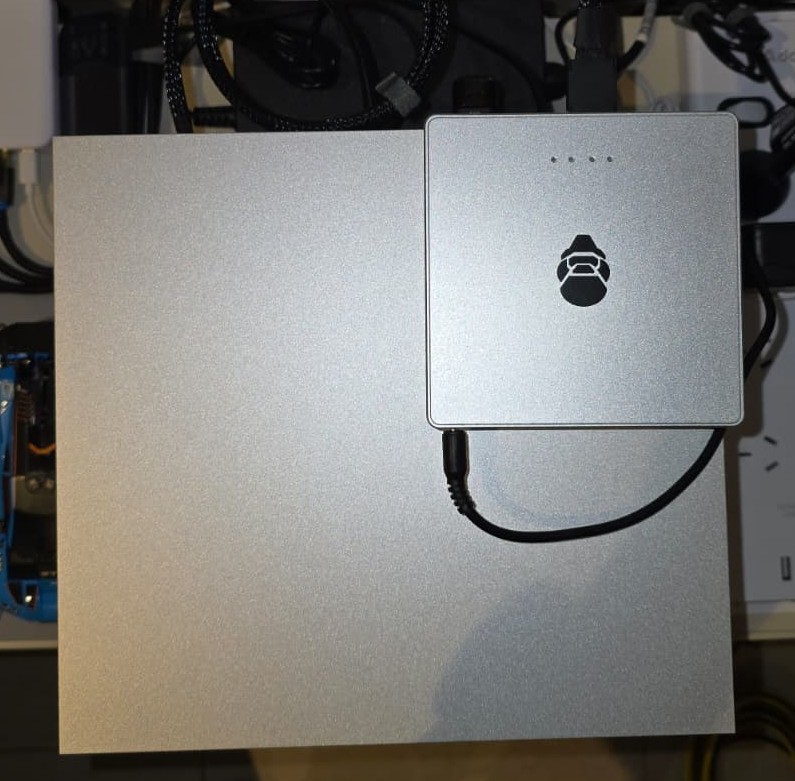
The change also affected later plans. Slot 1 is now occupied by storage, while the two Thunderbolt ports remain available for future experiments such as direct networking or a different eGPU path. A failed connection did not simply become a troubleshooting footnote; it changed the roadmap of the whole machine.
Benchmarking the Storage Instead of Assuming Which Tier Was Faster
Once the storage existed, ted measured it.
His Phase 1.5 work uses fio to compare the glacier ZFS RAIDZ1 pool with Arctic-Storage rather than treating “NVMe” as a single performance category. The cold benchmark showed glacier reaching 1,726 MB/s sequential writes and 2,591 MB/s sequential reads, while the single-drive Arctic tier was much stronger at random I/O, reaching 205,588 random 4K read IOPS in its original location.
The more interesting result appeared when ZFS ARC entered the picture. Repeated reads from glacier could be served from RAM rather than returning to the NVMe drives. With the earlier 16GB memory configuration, warm random reads reached roughly 83,929 IOPS instead of the 14,781 IOPS cold result.
That finding later influenced another hardware decision. Ted upgraded the machine to 32GB using two 16GB DDR5 modules, moving from single-channel to dual-channel memory. After the upgrade, warm ARC random reads increased again to 126,816 IOPS — a measured 51 percent improvement over the earlier result.
The benchmarks also challenged the original placement of the Crucial P510. In the Standard model's 7th Bay, sequential throughput was constrained by the bridge. Ted moved the drive to the onboard M.2 slot and measured sequential read increasing from 874 MB/s to 1,677 MB/s, while random 4K read performance rose from 205,588 to 403,078 IOPS.
The lesson was not simply that one slot was faster. The measurements changed where workloads belonged and which upgrades were actually worth making.
Making ZFS Work Beside ZimaOS
The build also exposes an interesting boundary between what ZimaOS manages natively and what an experienced user can add underneath it.
Ted deliberately uses btrfs for Arctic-Storage and the IronWolf pool because those volumes integrate naturally with ZimaOS. The glacier pool is different. It was created as ZFS RAIDZ1 from the command line, giving ted ZFS datasets, checksums, ARC caching, snapshots, and a storage model that better matched some of his planned workloads.
That flexibility comes with a rough edge: ZFS pools created from the command line do not appear as native ZimaOS storage volumes in the interface.
Ted's workaround is simple and practical. He exposes the individual ZFS datasets through symlinks under /DATA, allowing paths such as glacier documents, media, backups, and VM storage to appear inside the ZimaOS Files app while the underlying pool remains managed through ZFS.
He found another visibility issue with memory. ZimaOS can report a large portion of RAM as “used” when ZFS ARC is filling otherwise idle memory. Looking at btop and ARC statistics tells a more useful story: cache is consuming memory because it is available, and ZFS can release it as applications need more.
This is the kind of feedback that matters in a Pioneer build. Ted is not only showing what works in ZimaOS; he is documenting where an advanced storage configuration reaches the edge of the current UI and what he does when it gets there.
Moving an Existing Immich Library Without Losing Its History
Storage architecture becomes much more meaningful once irreplaceable data starts moving onto it.
For ted, that test was Immich. He already had an Immich instance running on an older DIY ZimaOS server and wanted to move it to the ZimaCube 2 without starting over.
The migration involved 14,505 photos and 925 videos — 134 GiB in total. But the important data was not limited to the image files. Albums, people, face recognition, memories, shared links, and other metadata lived in PostgreSQL.
Using the ZimaOS Files app over the LAN, ted copied both /DATA/Gallery/immich and the complete /DATA/AppData/immich directory, including pgdata. The source Immich instance was stopped before copying so the PostgreSQL data remained consistent.
After the migration, the account, albums, face information, memories, and library remained intact with zero reported data loss. Ted then verified the PostgreSQL database directly rather than assuming a successful login meant everything had survived.
If you are planning the same kind of move, our Immich migration guide for ZimaCube 2 walks through the same critical distinction: moving the media library alone is not enough — the database has to move with it.
From a 134 GiB Migration to 725 GiB of Self-Hosted Photos and Video
The Immich phase did not end when the old server migration succeeded.
What began as moving an existing ZimaOS library became a much larger shift away from using iCloud as the primary home for ted's photos and videos. His iPhone began transferring the original iCloud library into Immich running on the ZimaCube 2.
By the end of that phase, the server held 63,665 assets totaling 725 GiB: 55,604 photos and 8,061 videos. The iCloud transfer itself accounted for about 655GB, with 4K video responsible for most of that storage.
The goal was not to pretend every Apple cloud service could be replaced. Ted still identified device backups, messages, and other iOS-specific data that make sense to keep in a smaller iCloud plan. The change was more focused: move the large photo and video library to storage he controls while keeping the cloud services that still serve a useful purpose.
That decision also created a new responsibility. A self-hosted photo library only becomes safer than a cloud copy when it is backed up properly. Ted's migration notes therefore extend into a second copy on TrueNAS, laying groundwork for the broader 3-2-1 backup phase still on the roadmap.
Building Around What ZimaOS Makes Easy — and Measuring the Rest
Ted chose ZimaOS deliberately. After years using Synology and being a longtime CasaOS user, he wanted the cleaner Docker-focused application model while still keeping access to the underlying system when the build required something more advanced.
Several parts of the project take advantage of that balance. The built-in AppData migration tool moved Docker application data away from the system drive and onto Arctic-Storage without rebuilding every app. The Files app provided the LAN workflow used for the Immich migration. Native tools including fio, zpool, zfs, nvme, and iostat allowed the storage architecture to be measured and managed beneath the graphical layer.
Other parts reveal where the experience is still less integrated. CLI-created ZFS storage needs the symlink workaround. ARC makes the standard RAM number easy to misread. Thunderbolt behavior forced a hardware redesign.
Those observations make the project more valuable than a showcase where every experiment works on the first attempt. Ted is documenting the line between a simple ZimaOS experience and the deeper homelab work that begins when someone decides to cross it.
What Is Already Built — and What Is Still a Roadmap
The title of ted's repository describes the destination as a modest AI-powered NAS, but the project is intentionally being built in phases.
The foundation is already real. Tiered storage is running. The glacier ZFS RAIDZ1 pool is operational. Arctic-Storage has moved to the onboard M.2 slot. Memory has reached 32GB dual-channel. The IronWolf RAID5 pool exists. Storage benchmarks have been completed. The Immich migration and broader iCloud photo consolidation are complete.
The media layer is still growing. The IronWolf pool has been created for bulk media, while the Jellyfin and broader *arr stack remains part of the current Phase 2 work.
The AI layers are still ahead. Ted's roadmap currently places CPU-only Ollama testing in Phase 4a, followed by an RTX 4090 eGPU path in Phase 4b and semantic search across local storage in Phase 5.
That distinction is important. The ZimaCube 2 is already being prepared for local AI through storage placement, memory capacity, PCIe decisions, and workload planning, but the project has not yet reached the point where GPU inference should be presented as a completed result.
For readers exploring that future direction now, our local AI on ZimaCube 2 guide looks at how Ollama, memory, PCIe expansion, and later GPU upgrades can fit into a similar homelab roadmap.
A Build That Changes When the Evidence Changes
The most consistent pattern in ted's project is not ZFS, Immich, or any particular piece of hardware. It is the willingness to change a decision after measuring what actually happened.
The Thunderbolt enclosure did not work, so the storage path moved to OCuLink.
The P510 could not use its potential in the 7th Bay, so it moved to the onboard M.2 slot.
ZFS ARC performed better than expected, so memory became a performance upgrade rather than simply additional capacity.
A 134 GiB Immich migration worked without losing the database, so the experiment expanded into moving hundreds of gigabytes more out of iCloud.
Each phase leaves behind measurements, commands, mistakes, and updated assumptions for the next phase. That makes the repository useful even to someone who never builds exactly the same storage configuration.
The Story Is Still Being Written
ted-knight and Zima's story is still being written. The ZimaCube 2 started as an 8GB Standard model and has already become a multi-tier storage system with btrfs, ZFS RAIDZ1, OCuLink NVMe expansion, 32GB dual-channel memory, an IronWolf RAID5 archive, and a self-hosted Immich library holding hundreds of gigabytes of personal media.
The next phases are deliberately still open: Jellyfin and the media stack, stronger backup workflows, CPU-only local AI, a future GPU path, semantic search, and whatever the measurements force ted to reconsider along the way.
If you want to follow the build as those phases move from roadmap to actual results, follow ted-knight's ongoing ZimaCube 2 build on GitHub.



