
This source case separates two connection paths that users often treat as the same thing. ZimaClient could connect successfully when the user entered the Remote ID, both at home and away from home, but automatic discovery on the local network showed No Device Found. That means the server relationship and remote path were functional while local discovery was failing.
The thread never produced a confirmed final fix. iOS local-network permission was already enabled, Avahi was running, a full ZimaOS reinstall did not change the behavior, and the user later installed the Android client only to find that Android also failed to discover the server automatically.
Remote ID Worked While LAN Discovery Failed

This difference is a useful diagnostic boundary: do not troubleshoot Remote ID authentication when the failure is only local discovery.
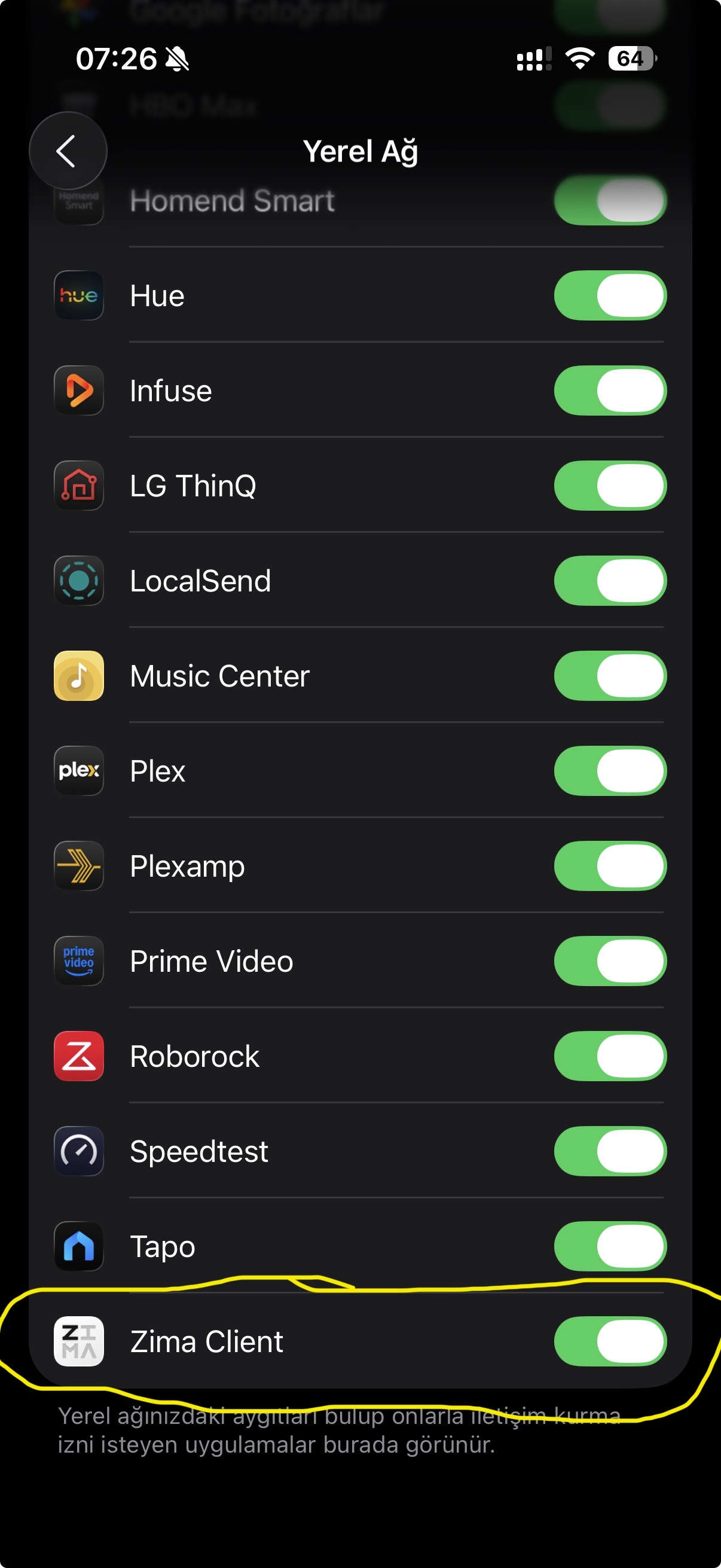
iOS Local Network Permission Was Already Enabled
A community reply correctly suggested checking iOS Settings because Apple requires explicit permission for apps that discover or communicate with local-network devices.
Reinstalling the App and ZimaOS Did Not Fix It
The user repeatedly reinstalled the iOS app, rebooted and shut down the NAS, and eventually formatted and reinstalled ZimaOS. None of those steps restored automatic discovery.
This negative evidence argues against a simple stale app cache or one damaged ZimaOS install.
The Community Suspected mDNS/Bonjour
Automatic device discovery on many local applications depends on multicast DNS or related LAN discovery broadcasts. Community members suspected that the client was not receiving those announcements and suggested checking AP/client isolation and multicast forwarding.
The user pushed back because AirPrint, AirPlay, QNAP discovery, and other local iOS services worked through the same TP-Link Deco network.
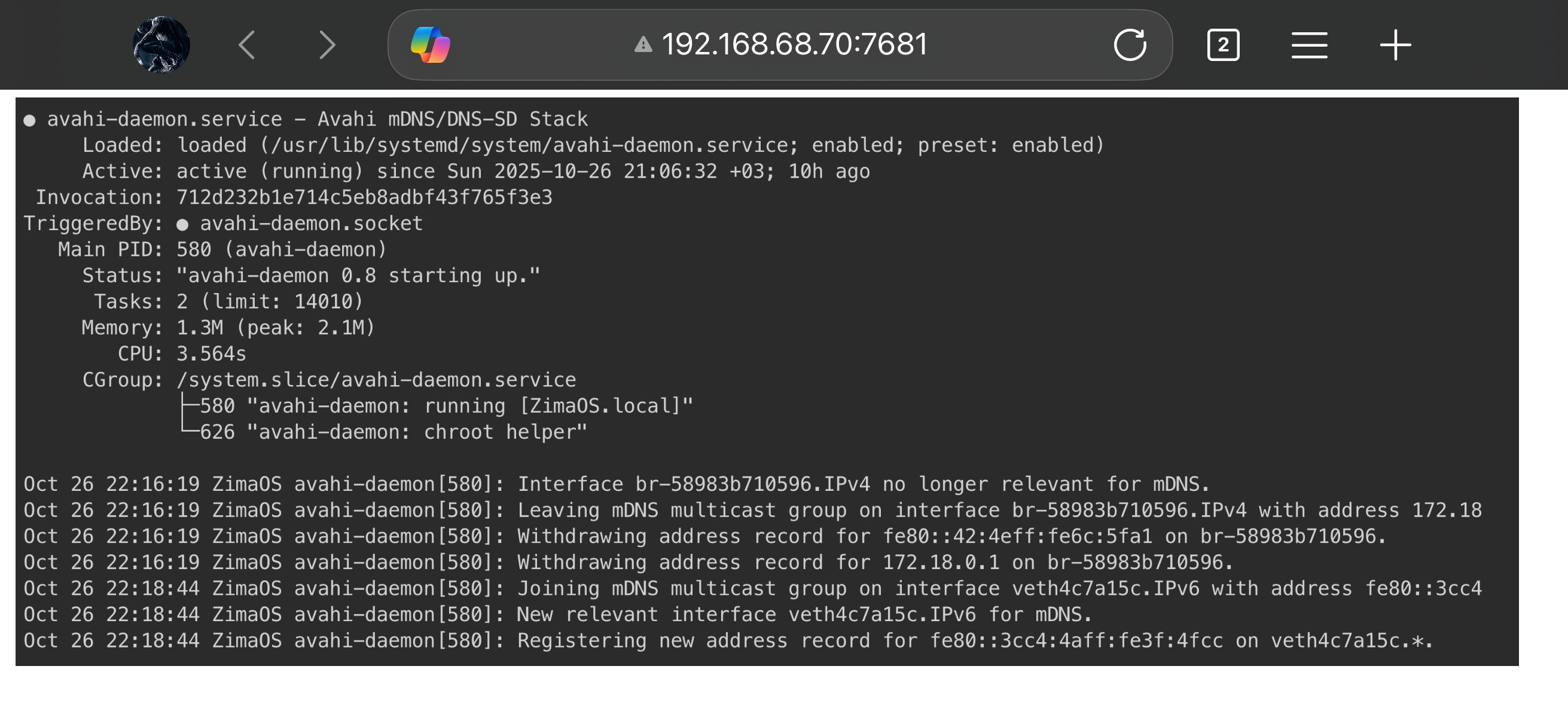
Avahi Was Running on ZimaOS
Avahi on Virtual Bridges Was Only a Community Hypothesis
A later reply noticed Avahi activity on Docker/virtual interfaces and suggested it might be advertising on the wrong bridge instead of the main LAN. The responder asked for more journal output.
The public thread ends before that hypothesis was validated. Do not present “Avahi is bound to Docker” as the confirmed root cause.
Android Failing Too Changed the Diagnosis
The source user installed the Android client and reported that it also could not discover the server automatically. That weakened explanations tied specifically to iOS Enhanced Privacy, VPN settings, or Apple's Local Network permission.
The remaining variables were the ZimaOS host, the LAN discovery path, or an interaction between the two.
IceWhale Asked for Topology and Privacy Details
Zima-Giorgio asked about VLANs, firewalls, protocol filtering, iOS Enhanced Privacy/VPN features, IP Restriction Tracking, and testing with another Apple device. This was an official troubleshooting request, not a claim that any one of those settings caused the failure.
Current ZimaClient Has Continued to Evolve
Current ZimaClient is far beyond the October 2025 build and includes ongoing device-connection and switching reliability work. For a modern case, update both ZimaOS and ZimaClient before recreating the old reinstall experiments.
Use the current ZimaClient installation and connection workflow as the baseline.
ZimaClient LAN Discovery FAQ
Did Remote ID work in the source case?
Yes. The user could connect through Remote ID on and off the home network.
Was iOS Local Network access disabled?
No. The user posted a screenshot showing it enabled.
Was Avahi stopped?
No. The source screenshot showed avahi-daemon running.
Was the final root cause confirmed?
No. The public thread ended while additional topology and Avahi-interface testing was still being discussed.


