

Lightweight Local LLM
Run small language models, private chat assistants, writing helpers, and coding copilots on your own local server without sending every prompt to the cloud.
Run AI Locally. Keep Your Data Yours.
save 5% on your local-first setup-Build your private AI server
Turn ZimaSpace into a private AI node for local models, self-hosted tools, data workflows, and smart edge automation.
Run small language models, private chat assistants, writing helpers, and coding copilots on your own local server without sending every prompt to the cloud.
Build and test your AI toolchain with containers, APIs, vector databases, automation tools, and model services in one self-hosted environment.
Keep your files, notes, media, and project data close to your AI workflows, so local agents can search, summarize, and organize your own knowledge base.
Use ZimaSpace as an edge AI hub for smart home routines, cameras, sensors, alerts, and lightweight automation that runs locally and responds faster.
Match your local AI workflow with the right ZimaSpace hardware, from lightweight model serving to private AI storage and edge automation.
Run compact local models, private chat assistants, and lightweight AI tools on a small self-hosted server.
Best for lightweight AI
$199.00
Compact self-hosted server for basic local AI tools, Docker apps, and homelab experiments.
More room for containers
$399.00
Compact self-hosted server for basic local AI tools, Docker apps, and homelab experiments.
Test Ollama, Open WebUI, vector databases, APIs, and AI containers in one local development environment.
Best for AI containers
$399.00
Compact self-hosted server for basic local AI tools, Docker apps, and homelab experiments.
Connect your files, documents, media, and project data with private AI search, summaries, and automation.
Best for AI + storage
From $699.00
Compact self-hosted server for basic local AI tools, Docker apps, and homelab experiments.
Run local automations, sensor workflows, smart home routines, and lightweight AI services at the edge.
Best for edge AI
$199.00
Compact self-hosted server for basic local AI tools, Docker apps, and homelab experiments.
Watch creators, NAS reviewers, and homelab builders test ZimaCube 2 across storage, self-hosting, local AI, and creator workflows.
NASCompares
A NAS-focused look at ZimaCube 2 for users comparing storage, self-hosting, and expansion options.
Michael Klements
A hands-on hardware review from a DIY and maker perspective, covering why ZimaCube 2 stands out as a compact home server.
Tech TRX
A practical review showing how ZimaCube 2 can work as a private cloud, media server, and home lab system.
Christian Lempa
A homelab-focused review for users deciding whether ZimaCube 2 is worth upgrading to as a server and storage box.
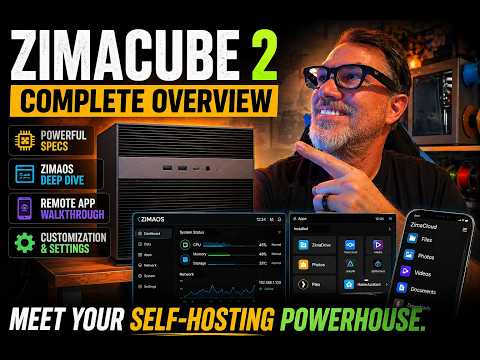
Alpha Nerd Tech
A creator-focused look at ZimaCube 2 Pro as more than a NAS — built for self-hosting, personal cloud, and local workloads.
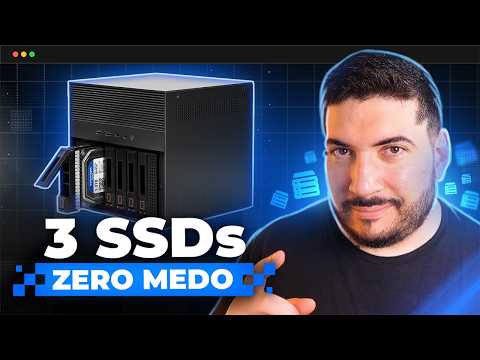
ViktorKav
A creator workflow video showing how ZimaCube 2 helps protect projects, media files, and studio work.
Choose Standard for personal cloud, media libraries, backups, and lighter self-hosting or editing workflows. Choose Pro if you want more CPU headroom, 10GbE, and faster SSD expansion for heavier multitasking or more demanding active projects. Choose Creator Pack if you need the most powerful setup, with 64GB RAM, 1TB SSD, and dedicated GPU support for more advanced creative or AI workflows.
Yes. ZimaCube 2 is built on standard hardware and follows a zero-lock-in approach. It comes with ZimaOS Plus preinstalled, while remaining compatible with a wide range of other operating systems and self-hosting setups. This openness is also a core part of the official product positioning.
ZimaCube 2 uses a redesigned thermal system built for cooler and quieter operation. According to the recent launch materials, full-load CPU temperatures are reduced by nearly 30%, while system noise stays around 30 dB.
For many everyday workflows, especially lighter or single-stream 4K work, Standard is generally a solid fit. If your setup involves heavier multitasking, faster shared storage needs, or more demanding editing workloads, Pro offers more headroom with a stronger processor, 10GbE, and faster SSD expansion.
The 7th bay is designed for high-speed SSD expansion. On Standard, the shared bandwidth is around 800 MB/s, which is generally suitable for lighter active workflows and fast-access storage. On Pro and Creator Pack, the 7th bay reaches around 3200 MB/s, making it better suited for more demanding editing, scratch storage, and performance-focused workflows.
Yes. A practical setup is to use faster SSD storage for active projects, while keeping larger-capacity drives for long-term storage and archive. This matches creative workflows well and makes ZimaCube 2 easier to use as both active workspace and long-term storage.
ZimaCube 2 is compatible with most mainstream hard drive brands and capacities on the market. You can check the full compatibility list here: Compatibility List
Inside the chassis, ZimaCube 2 supports low-profile GPUs for SFF single-slot or dual-slot installation, with TDP below 75W. For larger or higher-power graphics cards, we recommend using an external GPU dock.


Your cart is currently empty.
Start Shopping


