
OpenClaw showing Service Unavailable does not identify one single failure. In the February 2026 IceWhale Community thread, troubleshooting uncovered three different layers in sequence: a required gateway token, insufficient permission to inspect Docker from the ZimaOS host account, and finally an OpenClaw container that had never completed its initial configuration.
The thread is especially useful because some intermediate suggestions turned out to be wrong for the Big-Bear packaged image. Adding a made-up GATEWAY_MODE environment variable did not solve the restart loop, and appending --gateway.mode=local to the wrong command produced an unknown option error. Current OpenClaw documentation confirms that gateway.mode=local belongs in OpenClaw's persistent configuration and that Docker deployments should run onboarding or setup to create that configuration.
First Check Whether the OpenClaw Container Is Actually Running
The original post showed the OpenClaw app reporting that the application was not running properly and displaying a tip about OPENCLAW_GATEWAY_TOKEN.
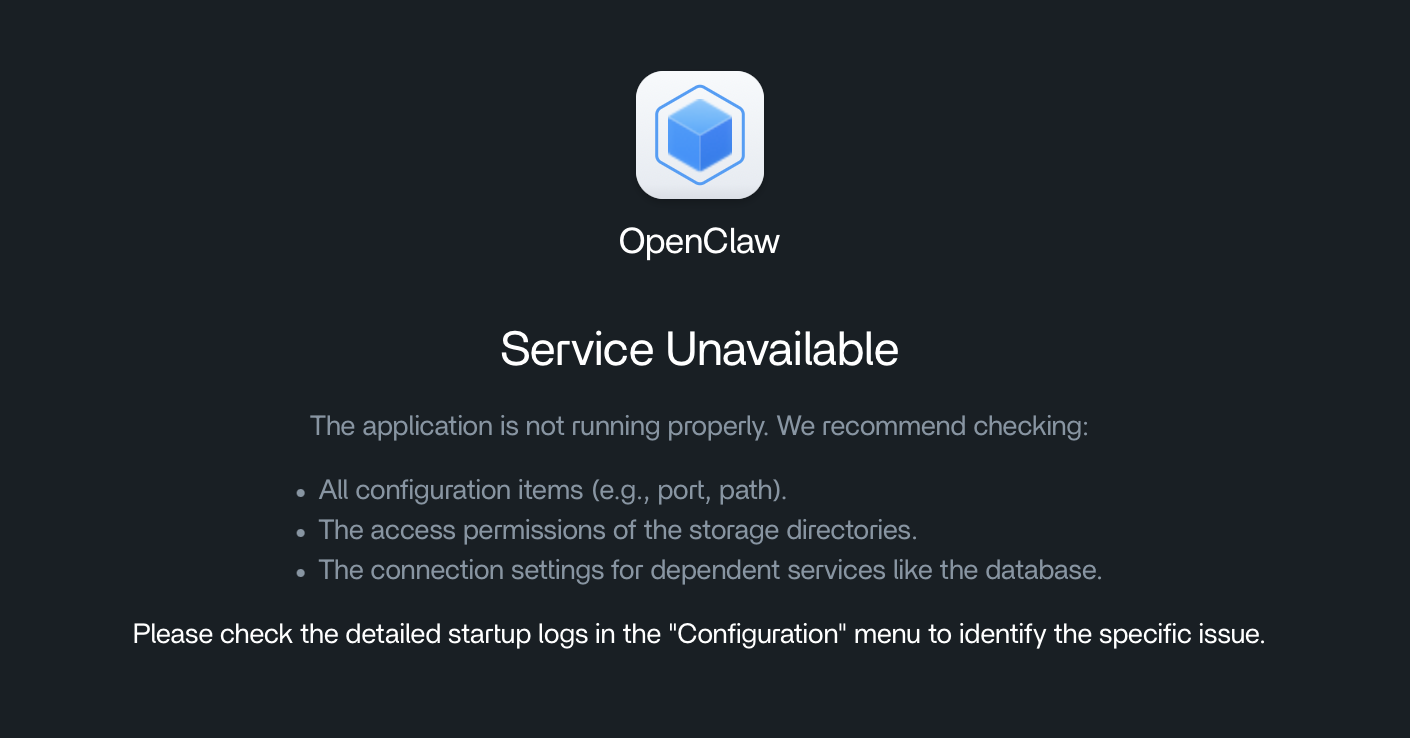
Before changing application settings, inspect the container state from the ZimaOS or CasaOS host:
docker ps -a | grep openclawIf the container is restarting or exited, read its logs:
docker logs big-bear-openclaw --tail 100The exact container name can differ. Use docker ps -a to identify the actual name rather than assuming it is always big-bear-openclaw.
Generate and Store OPENCLAW_GATEWAY_TOKEN
The first community suggestion was to generate a strong random gateway token:
openssl rand -hex 32If OpenSSL is unavailable, the thread offered a local random-byte alternative:
head -c 32 /dev/urandom | xxd -p -c 32Current official OpenClaw Docker documentation also uses OPENCLAW_GATEWAY_TOKEN for gateway authentication. Its standard setup script generates a token and writes it to the deployment's .env file automatically. In a manually packaged CasaOS application, enter the generated value into the environment-variable field expected by that image.
Treat this token as a secret. Do not paste it into a public forum, screenshot, support ticket, or repository.
A Docker Permission Error Is Not an OpenClaw Permission Error
After adding a token, the original author encountered:
permission denied while trying to connect to the Docker daemon socket
/var/run/docker.sock: connect: permission denied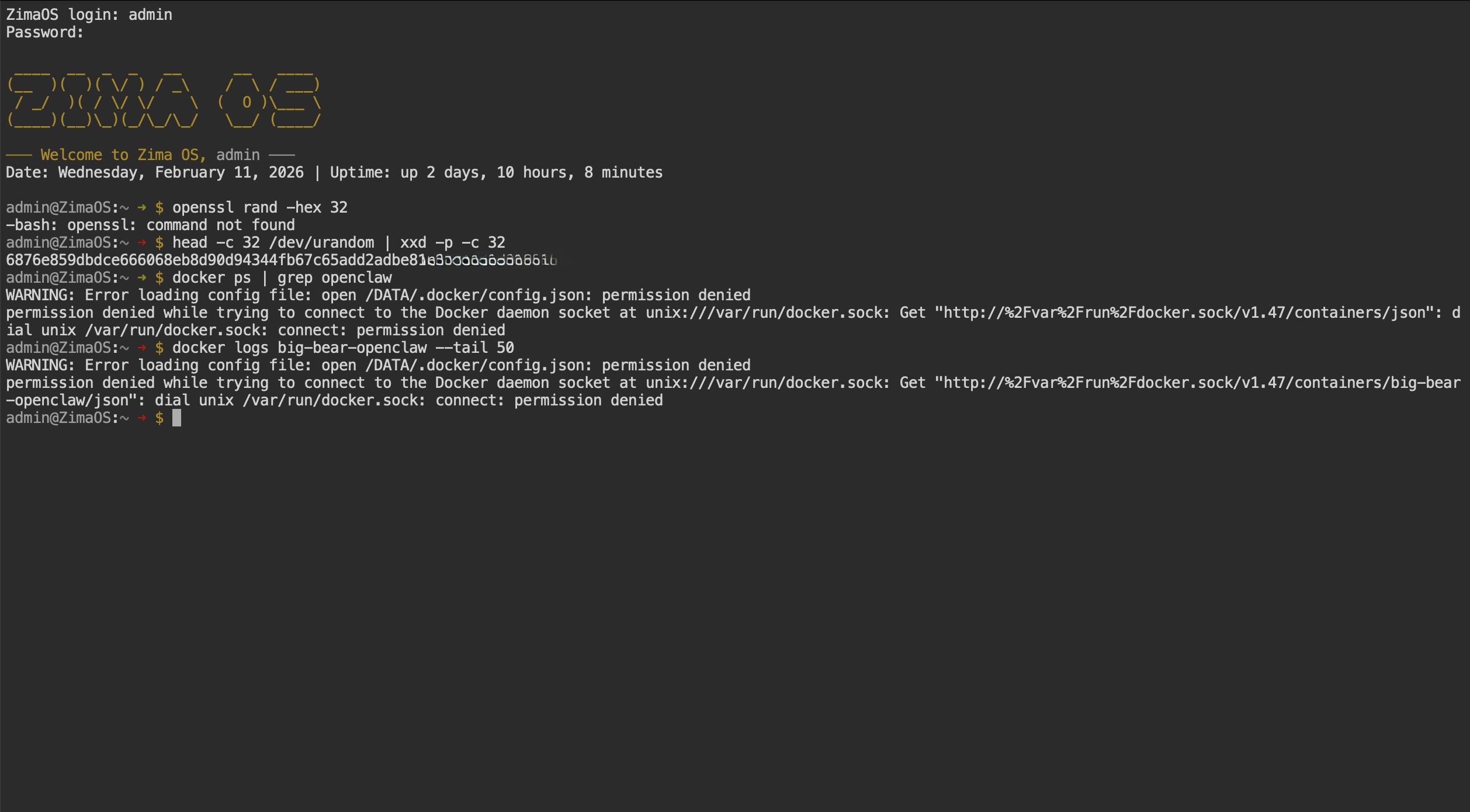
The community recommendation was to elevate temporarily before running administrative Docker commands:
sudo -i
docker ps
Use root privileges only for the commands that genuinely require them. Do not weaken /var/run/docker.sock permissions or make the Docker socket world-writable just to remove the error. Docker access effectively grants administrative control over the host.
The Real OpenClaw Error Was “Missing config”
Once Docker logs were accessible, the important message appeared:
Missing config. Run `openclaw setup` or set gateway.mode=local
This was more actionable than the generic Service Unavailable page. OpenClaw's current gateway documentation confirms that the gateway refuses to start normally unless its configuration contains:
gateway.mode = localCurrent OpenClaw also states that either openclaw setup or openclaw onboard --mode local writes the local gateway mode into the persistent configuration.
Why GATEWAY_MODE=local Did Not Fix This Image
One intermediate community reply suggested adding:
GATEWAY_MODE=localThe user tried it and the restart loop continued. That is an important correction to preserve: current official OpenClaw documentation does not define a generic GATEWAY_MODE environment variable as the replacement for the persistent gateway.mode setting used by this workflow.
Do not convert every dotted OpenClaw config key into an invented uppercase environment variable. Use the configuration method documented by the exact OpenClaw image or deployment template.
Why --gateway.mode=local Produced “Unknown option”
A later community attempt appended:
--gateway.mode=localto the CasaOS container command. The image then returned:
unknown option '--gateway.mode'The thread correctly identified why: CasaOS was appending the flag to a command layer that did not accept it. OpenClaw's current CLI uses commands such as openclaw gateway, openclaw setup, openclaw onboard, and openclaw config set; gateway.mode is a config key, not a universal top-level runtime flag that can be placed anywhere in a container command.
The Big-Bear Image Needed a Persistent Initialized Config Directory
The final community diagnosis focused on this mount:
/DATA/AppData/big-bear-openclaw
→ /home/node/.openclaw
The container expected its configuration under /home/node/.openclaw, but the mounted directory had not been initialized. This is consistent with current OpenClaw Docker documentation: the mounted configuration directory contains the persistent openclaw.json, authentication profile data, and environment-backed secrets.
The thread's final suggestion was to run setup inside the container so the mounted directory would receive an actual OpenClaw configuration. However, the original poster did not return with a final confirmation after that last reply. Treat it as the strongest diagnosis in the thread, not a verified final resolution.
Prefer Current OpenClaw Docker Onboarding on a Fresh Install
For a current deployment, follow the official OpenClaw Docker installation guide rather than reconstructing the 2026 troubleshooting sequence one error at a time.
Current OpenClaw provides a Docker setup script that:
- builds or pulls the gateway image;
- runs onboarding;
- generates a gateway token;
- writes persistent configuration;
- creates required secret directories;
- starts the gateway through Docker Compose.
For headless Docker deployment, current OpenClaw also documents non-interactive onboarding with local gateway mode and token authentication. That is preferable to manually inventing environment variables or appending unsupported flags.
Current Manual Configuration Pattern
OpenClaw's current Docker guide documents a manual pattern equivalent to:
openclaw onboard --mode local --no-install-daemon
openclaw config set gateway.mode local
openclaw config set gateway.bind lan
In Docker Compose, those commands are normally executed through the dedicated CLI or onboarding container defined by the project. Do not paste host-side commands into a packaged CasaOS image without checking its entrypoint and mounts first.
The current OpenClaw Gateway CLI documentation confirms that openclaw setup and openclaw onboard --mode local create the required local gateway configuration.
Use the Same Gateway Token in the Control UI
Current OpenClaw Docker documentation exposes the Control UI on port 18789 in the standard Compose setup and instructs users to paste the gateway token from the deployment environment into the UI settings.
A token mismatch can cause authentication failures after the gateway is healthy, but it is different from a container that repeatedly exits because no configuration exists. Diagnose startup first, then UI authentication.
Do Not Make --allow-unconfigured the Permanent Fix
OpenClaw provides --allow-unconfigured for ad-hoc or development startup. Current documentation explicitly says that it bypasses the local-mode guard without writing or repairing configuration. It is useful for testing but does not replace proper onboarding of a persistent server.
OpenClaw Service Unavailable Troubleshooting Checklist
- Check whether the OpenClaw container is running, exited, or restarting.
- Read the current container logs before changing settings.
- Confirm
OPENCLAW_GATEWAY_TOKENexists and is treated as a secret. - If Docker commands fail with socket permission denied, use an authorized administrative shell rather than weakening Docker socket permissions.
- Look specifically for
Missing configorgateway.mode=localerrors. - Confirm the host AppData path is mounted to the OpenClaw config directory expected by the image.
- Run the supported OpenClaw setup/onboarding flow so
openclaw.jsonis created in persistent storage. - Do not rely on
GATEWAY_MODE=localunless the exact image documentation explicitly defines it. - Do not append
--gateway.mode=localto an arbitrary CasaOS container command. - Restart the container and re-check logs after configuration is written.
- Only after the gateway stays up, troubleshoot Control UI token authentication or model-provider configuration.
OpenClaw Service Unavailable FAQ
Does OpenClaw require OPENCLAW_GATEWAY_TOKEN?
Current OpenClaw Docker deployments support and commonly use OPENCLAW_GATEWAY_TOKEN for gateway authentication. The official setup script can generate one automatically. Packaged third-party images may expose the value differently, so follow the image's actual environment schema.
What does “permission denied /var/run/docker.sock” mean?
It means the current host user cannot access the Docker daemon. It does not by itself mean that OpenClaw's internal data directory is unwritable. Use an authorized administrative account for Docker diagnostics.
How do I set gateway.mode=local?
Use OpenClaw's supported setup, onboarding, or configuration command so the value is written to persistent openclaw.json. Current documentation says openclaw setup or openclaw onboard --mode local creates this setting.
Should I add GATEWAY_MODE=local?
Not based on this thread. That suggestion did not solve the user's packaged-image restart loop, and current upstream documentation treats gateway.mode as configuration rather than a generic environment variable named GATEWAY_MODE.
Why does --gateway.mode=local say unknown option?
Because the option was appended to the wrong command layer in the CasaOS package. A dotted configuration key is not automatically a valid command-line flag for every OpenClaw binary or entrypoint.
Was the community thread definitively solved?
The thread reached a strong final diagnosis—an uninitialized persistent config directory—and recommended running openclaw setup inside the container. The original poster did not publish a final confirmation after that last instruction, so the page should not claim a verified resolution that the source does not contain.


