
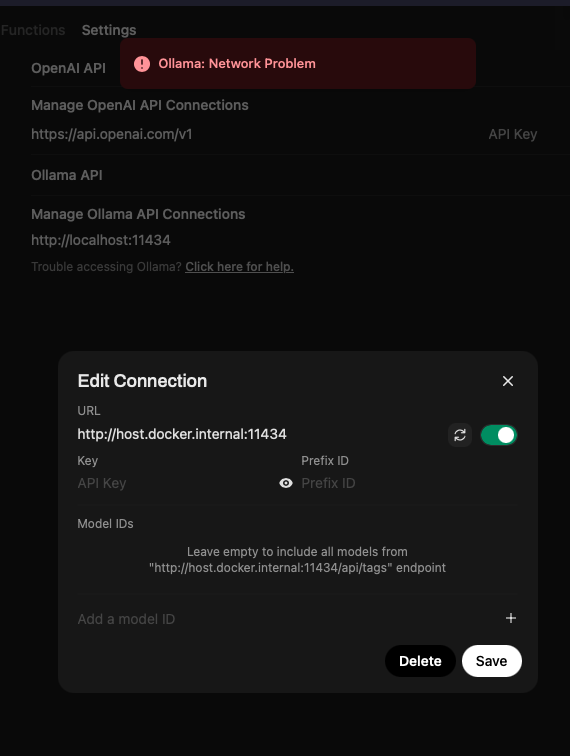
A ZimaBoard 2 user connected an external NVIDIA GPU and saw it correctly in the dashboard. Stable Diffusion launched but returned a Connection error when asked to generate an image. Open WebUI also launched, yet could not find a model through either of the Ollama API addresses the user tried.
The discussion separated internet access from container-to-container communication. Apps could be downloaded and Ollama could be reached from another device, but Open WebUI still reported an Ollama Network Problem. The final thread diagnosis was that Open WebUI and Ollama were not attached to the same Docker network; the author did not post a final confirmation after the last recommendation.
The GPU Was Visible, but the AI Services Were Disconnected
The external NVIDIA GPU appeared in the ZimaOS dashboard, so the first responder did not treat this as a GPU-detection failure. Instead, they noted that Open WebUI is a frontend that connects to Ollama rather than downloading and serving models by itself. Stable Diffusion's generic Connection error was also interpreted as a failure to reach its backend or API.

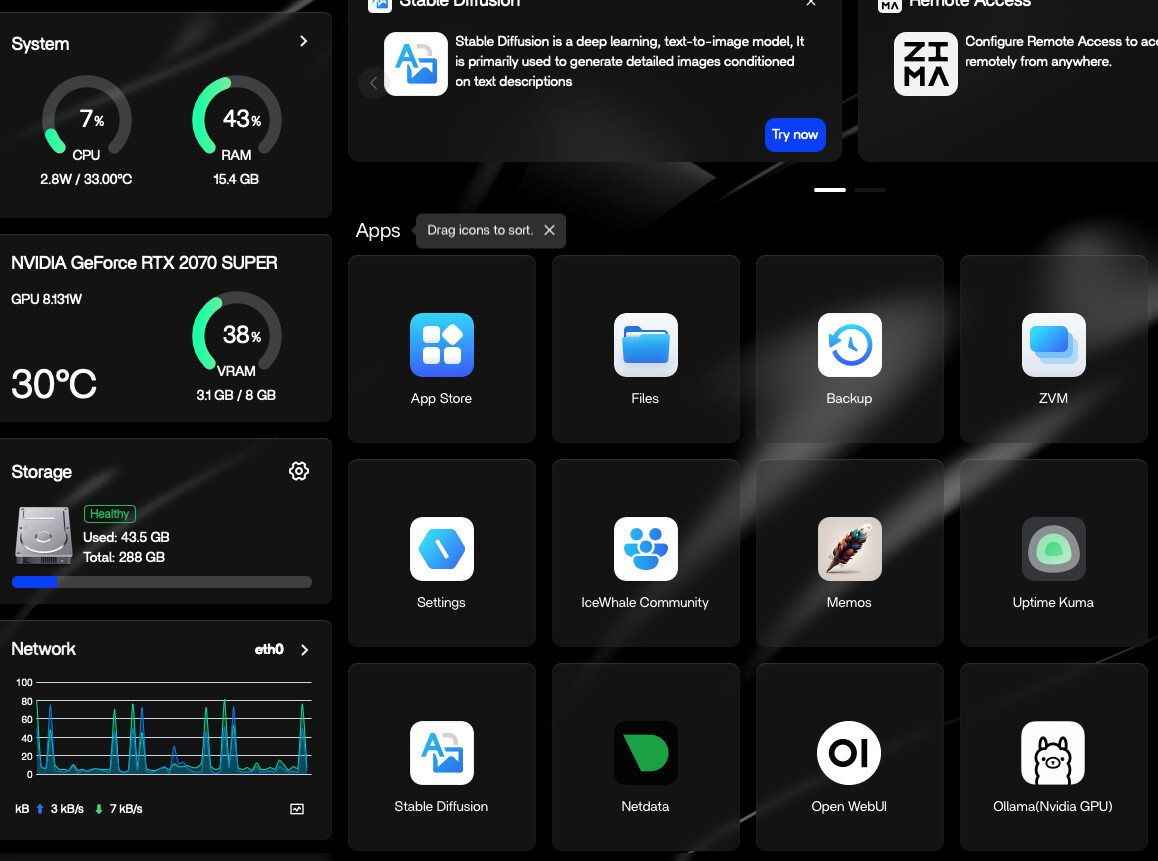
Why localhost Did Not Point to Ollama
The author reported Ollama at port 11434 and tried both a localhost address and a suggested Docker address. A community responder explained that localhost inside the Open WebUI container refers to Open WebUI itself, not to a separate Ollama container.
Based on the container list shown in the screenshots, the responder suggested using the Ollama container name and port: http://ollama-nvidia:11434. The principle in that reply was to target the dependent service by its Docker identity rather than assume that the frontend container shares the host's loopback interface.
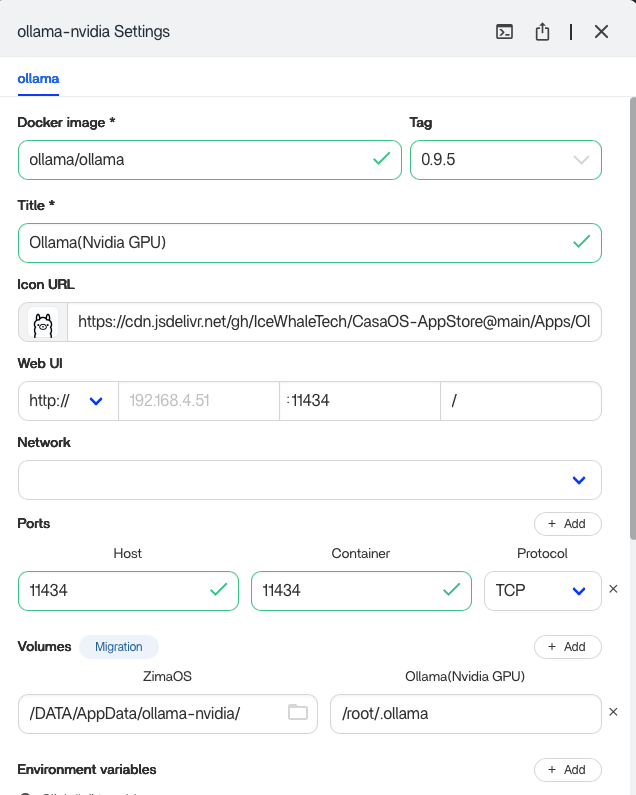
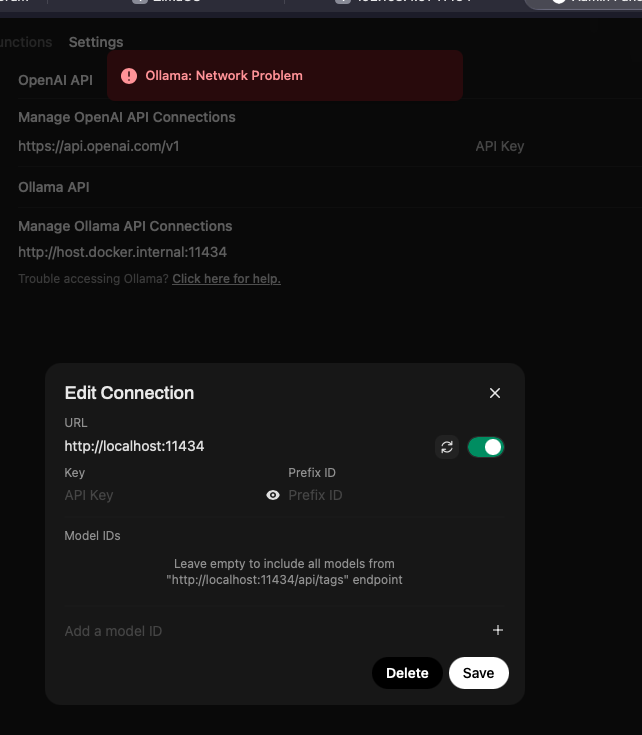
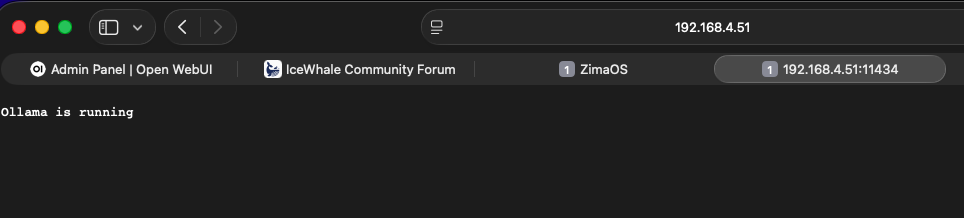
The Remaining Problem Was the Docker Network
Changing the URL alone did not resolve the error. The author then listed several available networks, including bridge, host, ollama-nvidia_default, and big-bear-open-webui_default. The responder concluded that the two containers were still isolated on different networks.
The final recommendation was to attach Open WebUI and Ollama to one identical shared Docker network and then use the Ollama container name in the API URL. The thread ends at that point, so it documents a likely network boundary and a proposed correction, not a user-confirmed final fix.
FAQ
Does downloading apps prove that Open WebUI can reach Ollama?
No. In this case, ZimaOS had internet access and could download applications, while two running containers still could not communicate with each other.
Was the external NVIDIA GPU confirmed as the cause?
No. The GPU appeared in the dashboard, and the community diagnosis focused on service addresses and Docker network isolation. The thread did not report a GPU error as the root cause.


