
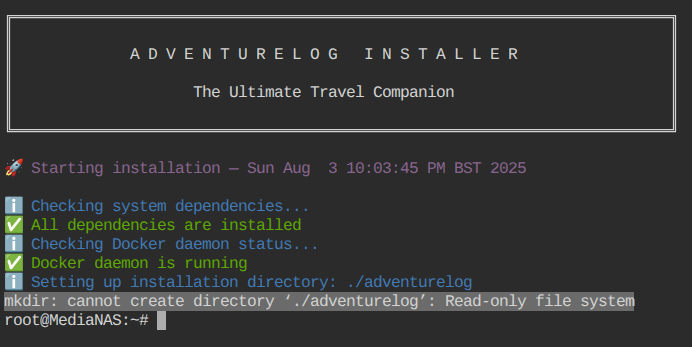
The Installer Was Started from a Read-Only Location
The AdventureLog shell installer began normally but failed when it attempted to create ./adventurelog. On ZimaOS, the base system is appliance-like and read-only, so a script that assumes the current directory is writable can fail even when the attached storage itself is healthy.
A Second User Hit a Different Dependency Check
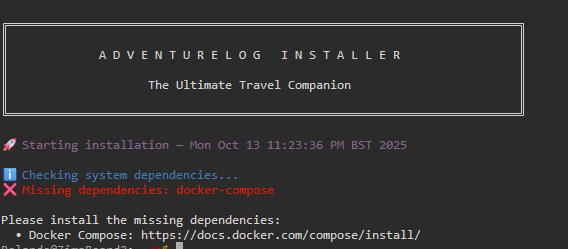
Another participant reported that the installer stopped immediately because it could not find docker-compose. That was not the same failure as the original mkdir error, and the thread did not establish a universal package-install command for the ZimaOS host.
The Demonstrated Fix Was to Work Under /DATA
An IceWhale team member first warned that CLI work is not generally recommended unless it is part of guided investigation. The demonstration was performed on a test machine, with an explicit recommendation to avoid experimenting on a production system unless the operator understands the computer and data-security risks.
For an experienced user, the demonstrated sequence was:
sudo -i
cd /DATA
mkdir 10-16test2
cd 10-16test2/
curl -sSL https://get.adventurelog.app | bash
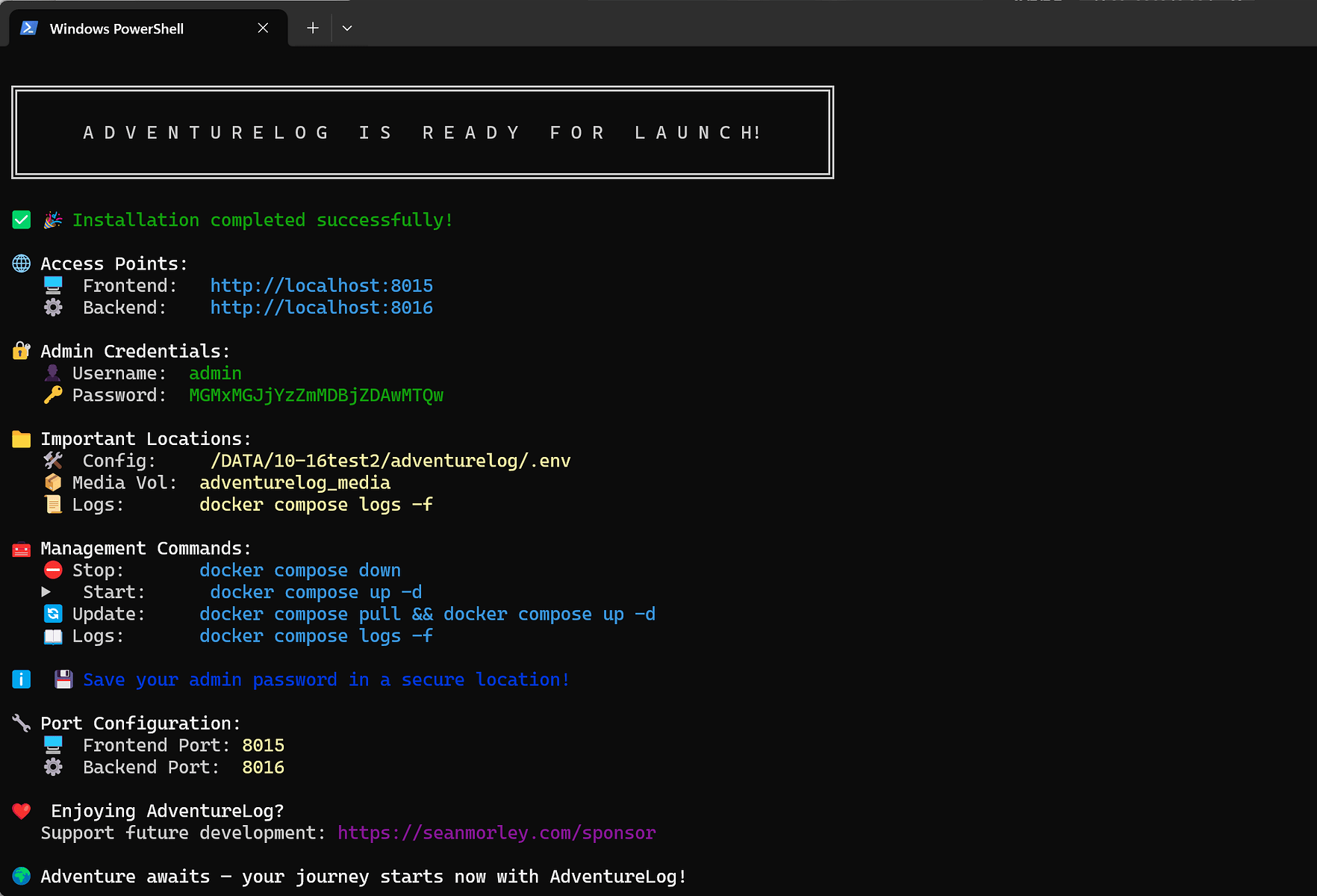
The key change was the working directory: /DATA is intended for writable data, unlike the read-only system layer. The installer URL is available at the AdventureLog installation endpoint.
Successful Installation Did Not Mean the App Was Healthy
The original author later confirmed that the installation itself completed after following the writable-path instructions. However, AdventureLog's backend did not start, and its logs repeatedly reported that PostgreSQL was unavailable. Installing a separate PostgreSQL app from the ZimaOS App Store did not automatically connect it to the AdventureLog stack.

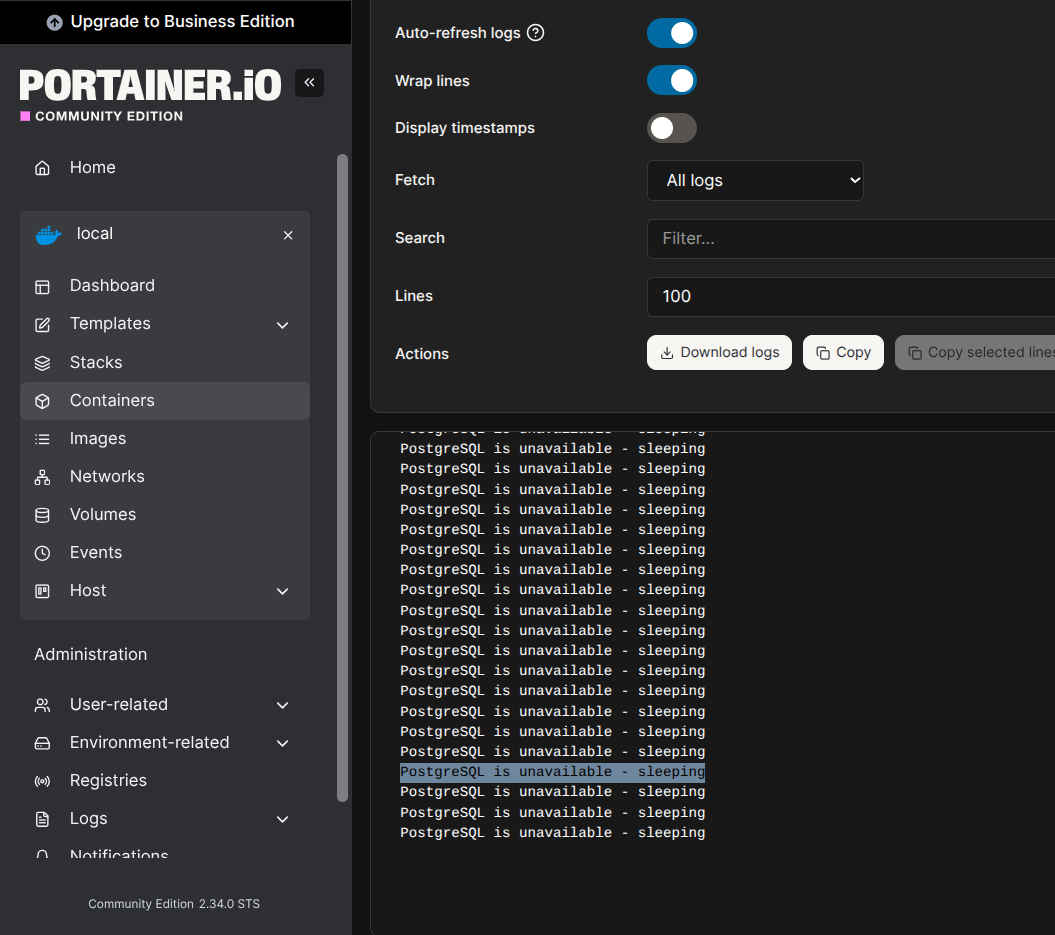

The thread ends without a confirmed database fix. A standalone PostgreSQL container is not automatically the database declared by another Compose project; network names, credentials, service discovery, volumes, and the expected database initialization all have to match.
FAQ
Why did mkdir fail even though ZimaOS had free storage?
The installer was operating in a read-only part of the system, not in a writable data directory. Free capacity elsewhere does not make the current system path writable.
Did running the installer under /DATA fully solve AdventureLog?
It solved the installation-directory error and allowed the stack to install. The later PostgreSQL availability problem remained unresolved in the thread.


