
VPN vs Port Forwarding for Home NAS Remote Access


For home NAS remote access, the real question is not just whether VPN or port forwarding is faster. The more important question is who can reach your NAS service before authentication happens. A private access method keeps your NAS behind a controlled boundary; a forwarded port creates a public route that anyone on the internet an try to reach.
That does not mean port forwarding is always wrong. It means you should use it only when a specific service truly needs public access, and only after you understand the authentication, update, logging, and exposure tradeoffs. For most private NAS access, especially admin pages, file dashboards, SSH, and personal cloud tools, a VPN or mesh VPN is usually the safer starting point.
Quick Take: VPN Is Usually Safer for Private NAS Access
A VPN is usually safer for personal NAS access because the remote device has to join a private access path before it can reach internal services. WireGuard describes this as an encrypted tunnel built around peers, public keys, allowed IPs, and authenticated packets. In practice, that means your NAS dashboard or file service does not need to become a public web target just so you can reach it from a hotel, office, or mobile network.
Port forwarding works differently. It tells your router to send traffic from a public port to a service inside your home network. That can be useful for a narrow public service, but it also means the service is now reachable from outside your LAN and must be maintained like an internet-facing application.
A simple rule helps: use VPN or mesh VPN for devices you own, and use public exposure only for services that genuinely need to be reached by people or apps that cannot join your private network. NAS admin panels, file managers, SSH, and Docker dashboards should usually stay behind private access.
First Decide Who Should Reach the NAS
Before choosing a method, decide who needs access. If the answer is only you, or only your own laptop and phone, VPN is usually the cleanest choice. It keeps the NAS private and shifts the access decision to trusted devices rather than exposing the NAS login page to the public internet.
If family members use devices you manage, a mesh VPN can still work well. The setup may be easier than a traditional router VPN because users sign in, install an app, and join a private device network. This is often enough for photos, documents, home folders, media libraries, and basic private cloud access.
If friends, clients, public visitors, or TV apps need access without installing a VPN client, the decision changes. A public route may be needed, but that does not automatically mean forwarding several NAS ports. A reverse proxy, tunnel, or public HTTPS entry point with access rules is often safer and easier to reason about than exposing multiple services directly.
Think of access in four groups:
- Private admin access: NAS dashboard, SSH, Docker panels, router UI.
- Private file access: SMB, WebDAV, personal cloud folders, photo libraries.
- Limited shared access: selected media, shared links, family folders.
- Public services: websites, public apps, or services intended for outside users.
The more private or administrative the service is, the stronger the case for VPN. The more public the audience is, the more you need a controlled public entry point with its own security rules.
What Port Forwarding Changes About Your Exposure
Port forwarding does not just “enable remote access.” It changes the reachable surface of your home network. A service that was previously visible only inside your LAN can become visible to scanners, bots, and anyone who can reach your public IP address.
CISA lists internet-exposed services and open ports among routinely exploited weaknesses because attackers can scan for them and use misconfigurations as an initial entry point. For a home NAS, the risk is not theoretical. Admin pages, file portals, outdated plugins, weak passwords, and unpatched services become much more important once they are reachable from the internet.
Port forwarding can still be reasonable when the service is intentionally public, patched, isolated, and protected. A media server port, a public web app, or a reverse-proxied HTTPS service may be acceptable if you understand the exposure. The problem is forwarding ports casually because it works quickly, then forgetting that the service now needs ongoing security maintenance.
A safer port forwarding mindset is narrow and temporary by default. Open only what you need, avoid exposing management interfaces, keep software updated, use strong authentication, and close unused ports. If you cannot explain why a port is open, it probably should not be open.
Why VPNs and Mesh VPNs Fit Most Personal NAS Setups
VPNs fit most personal NAS setups because they protect the route before the NAS service is reachable. Instead of exposing the NAS dashboard or file interface directly, you first authenticate the remote device into a private network. After that, the device behaves more like it is on the home LAN, depending on the VPN rules.
Mesh VPNs make this model easier for many home users. Tailscale describes a mesh VPN as a network where devices can communicate peer-to-peer or through relays, instead of forcing all traffic through one central gateway. That is useful when your NAS sits behind NAT, double NAT, or ISP CGNAT, because you may not need to manually open router ports for every service.
This does not remove all responsibility. You still need to manage which devices are trusted, remove old devices, use strong account security, and understand what each device can reach. But for personal NAS access, that maintenance is usually easier than keeping several public services safely exposed.
Traditional VPNs such as WireGuard or OpenVPN can also be a good fit if you control the router, firewall, or NAS server. WireGuard is often preferred for performance and simplicity, while OpenVPN remains common in many routers and NAS systems. The best choice depends less on the brand name and more on whether you can maintain keys, clients, updates, and access rules.
VPN, Port Forwarding, Tunnel, or Reverse Proxy?
There is no single remote access method for every NAS use case. The right answer depends on who needs access, whether they control the client device, and whether the service is private or public. Use the table as a decision tool, not as a security ranking.
| Remote Access Method | Use When | Avoid When | What Usually Fails | What to Verify |
|---|---|---|---|---|
| VPN / Mesh VPN | You control the client devices and need private NAS access | Public users need access without installing a client | Old devices stay trusted too long | Device list, authentication, and revoke path |
| Port Forwarding | One hardened public service must be reachable | NAS admin pages or file dashboards would be exposed | Too many services become public | Only the required port is open, patched, and monitored |
| Reverse Proxy / Tunnel | Browser-based public HTTPS access is needed | You skip access rules or expose admin apps | Public route lacks authentication | HTTPS, access policy, service isolation, and logs |
| VPS Gateway | You need control across NAT or CGNAT | You cannot maintain server security | Gateway becomes another weak point | Firewall, updates, keys, logs, and least privilege |
VPN for Devices You Own
Use VPN when the remote devices are yours or under your control. This is the best fit for NAS dashboards, SSH, file tools, photo libraries, private media management, and admin tasks. The main advantage is that private services stay private until the device has authenticated into the access path.
The tradeoff is client management. Every phone, laptop, or tablet that needs access must be enrolled, updated, and eventually removed if it is lost or retired. That is still usually a better tradeoff than making a sensitive NAS service public.
Port Forwarding for a Narrow Public Service
Use port forwarding only when a specific service needs to be reachable from the public internet. A common example is a media app or a web service that outside users must access without a VPN client. Even then, the forwarded service should be hardened, updated, and separated from the NAS management surface.
Avoid forwarding NAS admin pages, SSH, file dashboards, or multiple random service ports. If you need several public services, design one controlled entry point instead of adding port after port over time.
Reverse Proxy or Tunnel for Browser-Based Public Access
A reverse proxy or tunnel can be useful when users need browser-based access over HTTPS. Cloudflare Tunnel, for example, uses an outbound-only connection from the origin toward Cloudflare rather than requiring inbound traffic directly to the origin. That can reduce router-level exposure, but it still needs access rules and service isolation.
The important part is the policy layer. A public HTTPS route without authentication may simply move the exposure somewhere else. If you use a tunnel or proxy for private apps, verify the access policy, not just the fact that the page loads.
VPS Gateway for Advanced Control
A VPS gateway can help when you need stable public routing, control across CGNAT, or a central entry point for several private services. It can also support reverse proxies, WireGuard, firewall rules, and logging in a way some home routers cannot.
The downside is maintenance. The VPS becomes another internet-facing system that needs updates, keys, firewall rules, monitoring, and backup. If you do not want to maintain a server, a mesh VPN or managed tunnel may be safer.
Where Remote Access Usually Fails
Remote access usually fails along a chain: router or NAT, exposed service, authentication, updates, logs, and revocation. A setup can work at one link and still be weak at another. That is why “I can connect” is not the same as “this is safe to rely on.”
CGNAT and double NAT often break port forwarding before the NAS is even involved. If your ISP does not give you a true public IPv4 address, forwarded router ports may never be reachable from the outside. In that case, a mesh VPN, tunnel, or VPS gateway may be more practical than fighting the router.
Authentication is the next common weak point. A NAS login page with a strong password is better than a weak one, but it is still a public login page if you forward it directly. For sensitive services, authentication should happen before the NAS interface is exposed, not only inside the exposed app.
Maintenance also fails quietly. Old VPN clients remain trusted, temporary ports stay open, shared links are forgotten, and access IDs get copied into places they should not be. A remote access setup should include a clear way to review and revoke access, not just a way to connect.
A Practical Check Before You Open Anything
Before opening a port or inviting devices into a VPN, write down what should be reachable. This small step prevents most accidental exposure because it separates private services from public services before any router rule is created.
Use this order before changing remote access settings:
- List the NAS services you want to reach remotely.
- Mark each service as private, shared, or public.
- Use VPN or mesh VPN first for private admin and file access.
- Use a public route only for services that truly need it.
- Confirm authentication, updates, logging, and revoke path.
- Test from a non-LAN network, such as mobile data.
- Close anything you do not actively use.
If a service is private, do not make it public just because port forwarding is faster to configure. If a service must be public, make the public entry point narrow, authenticated where appropriate, and easy to monitor.
Choices That Expose More Than You Intended
This section is not a list of every possible remote access mistake. It focuses on the choices that most often turn a private NAS into a public target without the user realizing how much changed.
Choice 1: Forwarding the NAS Admin Interface
Mistake: The user forwards the NAS admin page because it is the fastest way to reach settings from outside the house.
Why It Happens: Admin interfaces are familiar and convenient, so users often start by exposing the thing they already know how to use. It may work immediately, which makes the setup feel successful.
Why It Is Risky: A NAS admin page controls storage, users, apps, shares, and sometimes terminal or container features. If it becomes internet-facing, every password choice, software update, plugin, and authentication weakness matters more.
Safer Alternative: Keep admin interfaces behind VPN or mesh VPN. If remote management is needed, require private access first, then open the dashboard through the private route.
Validation: Turn off Wi-Fi on your phone and test from mobile data. The admin page should not load unless the VPN or private access method is connected.
Choice 2: Treating a Strong Password as the Whole Security Plan
Mistake: The user forwards a service and relies only on a strong password.
Why It Happens: Password strength is easy to understand, while exposure, patching, access policy, and logging feel more abstract. A strong password is important, but it is only one part of the access boundary.
Why It Is Risky: Public services can be probed for software vulnerabilities, misconfigurations, weak recovery flows, and outdated components. A password does not fix an exposed vulnerable service.
Safer Alternative: Use strong authentication plus limited exposure. Add MFA where available, keep the service updated, avoid exposing admin tools, and place public services behind a proxy or access layer when appropriate.
Validation: Confirm not only that login works, but also that the service is patched, logs are visible, and only the intended URL or port is reachable from outside.
Choice 3: Leaving Old VPN Devices Trusted
Mistake: The user sets up a VPN or mesh VPN once and never reviews old devices.
Why It Happens: VPNs feel private, so users may forget that every enrolled device becomes part of the trust boundary. A lost phone, old laptop, or family device can remain authorized long after it should be removed.
Why It Is Risky: Private access is only as clean as the trusted device list. If an old device remains connected or its account is compromised, the NAS may still be reachable through the private route.
Safer Alternative: Review the VPN device list regularly. Remove devices you no longer use, require account security, and document how to revoke access quickly.
Validation: Remove a test device and confirm it can no longer reach the NAS from a non-LAN network.
Choice 4: Opening Multiple Ports Instead of Designing One Entry Point
Mistake: The user forwards one port for files, another for media, another for admin, another for a container app, and keeps adding more over time.
Why It Happens: Each port solves one immediate problem. The risk only becomes obvious later, when the NAS has several exposed services with different update schedules and login systems.
Why It Is Risky: More exposed services mean more places to patch, monitor, and defend. It also becomes harder to remember which service is public and why.
Safer Alternative: Keep private services behind VPN. For public browser-based access, use one controlled HTTPS entry point with clear routing, authentication rules, and service separation.
Validation: Check your router, firewall, tunnel, and proxy rules. Every public route should have a clear owner, reason, authentication plan, and shutdown path.
Choice 5: Forgetting CGNAT or Double NAT Before Troubleshooting
Mistake: The user spends hours changing router rules even though the ISP or upstream router prevents inbound access.
Why It Happens: Port forwarding guides often assume a normal public IP address. Many home networks now sit behind CGNAT, double NAT, or ISP-managed gateways, so the router rule may never receive outside traffic.
Why It Is Risky: Troubleshooting becomes guesswork. Users may enable UPnP, open extra ports, or weaken firewall settings while trying to fix a problem that port forwarding cannot solve in their network.
Safer Alternative: Confirm whether inbound routing is possible before changing many settings. If CGNAT or double NAT blocks inbound access, consider mesh VPN, tunnel, or VPS-based access instead.
Validation: Test from outside the LAN and compare the router WAN address with the public IP seen from an external service. If they do not match, port forwarding may not work without another path.
How to Test Remote Access Without Guesswork
Remote access should be tested from outside your home network. Testing from the same Wi-Fi can hide NAT behavior, firewall rules, hairpin routing issues, and accidental exposure. A clean test uses mobile data, a separate network, or a device that is not already inside your LAN.
NIST’s zero trust guidance emphasizes authentication before access, device authorization, and access decisions around users, assets, and resources rather than blind trust in network location. A home NAS does not need an enterprise zero trust program, but the same idea is useful: verify the device, verify the service, and verify the revoke path.
Use this checklist before relying on the setup:
- Test from mobile data or another non-LAN network.
- Confirm private services do not load unless VPN or private access is connected.
- Confirm only intended public ports or URLs are reachable.
- Review VPN or mesh VPN device lists.
- Remove a test device and confirm access stops.
- Check NAS, proxy, tunnel, or VPN logs for unexpected access.
- Close unused router rules, tunnel routes, and shared links.
- Repeat the test after major router, NAS, app, or ISP changes.
A successful test is not just “the page opened.” A successful test means the right device can reach the right service, the wrong path stays closed, and you can revoke access when something changes.
How Device IDs Fit Into a Private Cloud Workflow
Device identifiers, remote IDs, and connection IDs can become part of the access boundary in a private cloud workflow. They may not look like passwords, but they can still help identify, connect to, or share access with a device. That means they should be handled more like sensitive connection details than casual labels.
In ZimaOS, a device NetworkID is used to uniquely identify and connect to a Zima device, and the ZimaSpace guide also warns that a leaked ID may expose shared folders. The same workflow explains that users can reset the NetworkID to terminate the leak and invalidate existing connections and shares.
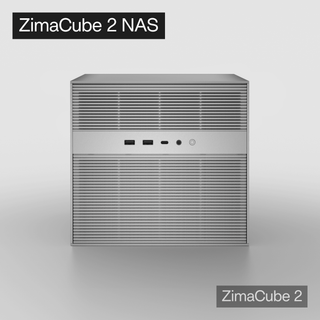
That principle applies whether you use a compact server, a home NAS, or a private cloud device such as ZimaCube 2. Remote access is not only about the transport method; it is also about which identifiers, devices, shares, and sessions remain trusted after setup.
If an access ID, device link, VPN client, or shared route is exposed, treat it as a boundary failure. Reset it, revoke old sessions, review shared folders, and test from outside the LAN again. The safest remote access setup is one you can both use and revoke.
FAQ
Is VPN always better than port forwarding for a NAS?
VPN is usually better for private NAS access because it keeps admin pages and file tools behind an authenticated access path. Port forwarding can still be useful for a narrow public service, but it should not be the default for management interfaces or sensitive files.
Is port forwarding safe if I only open one port?
It can be acceptable if the service is intended to be public, updated, isolated, and strongly authenticated. One open port is still a public entry point, so you need to know exactly what service is behind it and how it will be maintained.
Do I need a VPN if I use Tailscale or ZeroTier?
Tailscale and ZeroTier are mesh VPN-style tools, so in many personal NAS setups they serve the same purpose as a VPN: private access between trusted devices. You still need to manage device trust, account security, and revocation.
What if my ISP uses CGNAT?
Traditional port forwarding may not work if your ISP uses CGNAT because inbound traffic may never reach your router. In that case, a mesh VPN, tunnel, or VPS gateway is usually more practical than repeatedly changing router rules.
Should I expose Plex or media apps differently from NAS admin pages?
Yes. A media app that needs outside access is different from a NAS admin dashboard. If you expose a media service, keep the route narrow and maintained, but keep admin pages, SSH, file managers, and storage controls behind VPN or another private access method.
A safer NAS remote access plan starts with the access boundary, not the fastest setup trick. Use VPN or mesh VPN for private services, keep public exposure narrow and intentional, and test from outside your LAN so you know what is reachable, what is protected, and what can be revoked.

Recommended products
Support & Tips
More to Read

Live TV Recording Storage Guide for Capacity, Retention, and Cleanup
Measure real recordings, reserve headroom, combine age and capacity limits, and prove the oldest eligible program is removed before storage fills.
Home Media Metadata Recovery Workflow After a Database Restore
Protect the restored state, verify media identity and paths, then repair missing artwork or matches in a pilot library before broad metadata changes.
Jellyfin Client Compatibility Checklist for Audio, Video, and Subtitles
Test representative files one variable at a time and record Direct Play, remux, audio conversion, video transcode, or failure for every client.


