
How to Optimize Jellyfin Database Connections for Concurrent Containers


Optimize Jellyfin database access for concurrent containers by first ensuring one database owner, then measuring lock waits, write bursts, storage latency, and workload overlap.
Are several containers opening the same Jellyfin database, or is one Jellyfin container slow during scans and user activity? Do not increase connection counts blindly. Identify the database type, active writers, mount location, backup method, and the exact operation that waits before changing the backend or pool.
Prove whether locking or storage is the limit
Record database busy or locked messages, transaction duration, I/O latency, CPU wait, and the concurrent tasks running at the same time. SQLite permits concurrent reads but serializes writes, so many writers can turn a short metadata update into a queue (SQLite locking behavior).
Move the database to fast local storage only as a controlled test. If lock waits remain while storage latency falls, the problem is writer overlap or database design, not the disk alone.
Compare lock waits with storage latency during the same scan. If the database is fast but writers wait, scheduling and ownership—not another connection—are the next control.
Assign database ownership and schedule writers
Only one Jellyfin instance should own a given application database unless the supported backend and deployment explicitly provide multi-instance coordination. Keep scans, metadata refreshes, imports, backups, and maintenance from starting at the same moment. Use one container identity and one persistent path so a restart does not create a second database.
Validate by running one scan, then one user workload, then the normal concurrent mix. Compare lock waits and completion time after each additional writer is introduced.
Run the test with one writer, then add the normal concurrent container workload. This establishes whether each added writer increases queue time or simply adds harmless reads.
Know when a different backend is justified
A larger backend such as PostgreSQL may be worth evaluating when the workload genuinely requires multiple application writers, larger concurrent activity, or operational tooling that SQLite cannot provide. It also adds migrations, credentials, backups, network failure, and another service to recover. A project discussion notes that commercial-scale concurrency is outside Jellyfin’s normal home-server target, so do not import enterprise connection assumptions into a household deployment (scoped concurrency discussion).
If a backend change is tested, keep the original database and deployment definition available so the comparison can be rolled back without changing the application state.
Compare lock waits with storage latency during the same scan. If the database is fast but writers wait, scheduling and ownership—not another connection—are the next control.

Validate the chosen configuration
Restart every container, run the original concurrent workload, and confirm that lock waits, latency, user actions, and backups remain within the accepted boundary. Stop tuning when the database completes the workload with one clear owner and a tested restore path. Escalate when corruption, repeated lock failures, or unsupported multi-instance writes remain after the reversible scheduling and storage checks.
Run the test with one writer, then add the normal concurrent container workload. This establishes whether each added writer increases queue time or simply adds harmless reads.
If a backend change is tested, keep the original database and deployment definition available so the comparison can be rolled back without changing the application state.

Recommended products

Support & Tips
More to Read
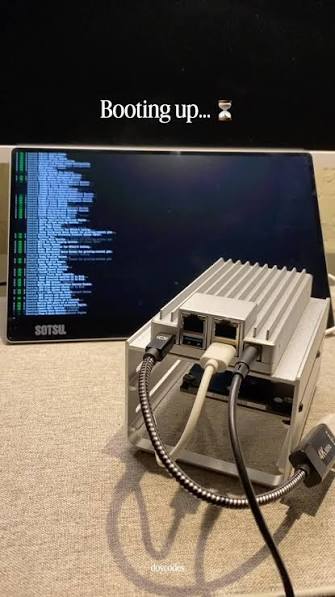
How to Prevent Duplicate Jobs or Imports in Jellyfin
Duplicate work usually comes from overlapping schedulers or more than one writer; assign one owner, one path, and one completion check.
How to Repair Jellyfin After Its Database Volume Fills Up
Stop writes, preserve the database and WAL files, free space without deleting state blindly, then verify integrity and the original workload.
Why Does Jellyfin Recreate Missing Files With the Wrong Owner?
Wrong ownership usually comes from an identity mismatch or a different import path; prove the active container user before changing permissions.


