


ZimaBoard 2 - Hyper Performance Single Board Home Server
Features
- Run Plex, Pi-hole, Proxmox, or even Minecraft - 24/7, cool and silent.
ZimaBoard 2 handles media streaming, firewalls, homelabs, and AI containers with ease. Low power, high reliability. - Native SATA & PCIe - no hats, no hassles.
Plug in 2.5" HDDs/SSDs, install a 10G NIC, GPU, or NVMe adapter. It's ready for your personal storage or expansion needs. - Dual 2.5G Ethernet built-in.
Ideal for fast local NAS, low-latency remote access, or routing multiple network services at home. - Run what works for you - ZimaOS, TrueNAS, Proxmox, Debian, pfSense…
Users love testing different OS setups for backups, Plex servers, Docker labs, or cluster builds. - Small, hackable, and kind of cute. Many call it's a mini server that looks like a toy but runs like a beast." Perfect for creative DIYers and tech lovers.
What's in the box
- 1× ZimaBoard 2
- 1× 12V/5A Power Adapter
- 1× SATA Y Cable
- 1× Cooling Fan
Shipping
-
ZimaBoard 2 (1664 model): Ships within 72 hours
-
ZimaBoard 2 (832 model): Pre-order. Next batch expected early February
Ways to Pay


Warranty & Support
- 2 years for deliveries within the EU
- 1 year for all other regions
Meet ZimaBoard 2
More Elegant. More Powerful.

Hyper-performance Single-board Server_
Intel N150 processor
Up to 3x faster
Up to 16GB memory

Blazing Speed. Maximum Expandability.
PCIe 3.0 and
Dual 2.5G LAN
Ready for Anything.

Pre-installed with Lifetime ZimaOS+
Compatible with CasaOS / Linux / OMV / Unraid / Home Assistant OS / TrueNAS / OpenWrt / pfSense / LibreELEC / Windows / Android
Meet ZimaOS
Extremely-friendly Personal Cloud OS

Zima Client is your device’s smart connector. On Mac and PC, it automatically picks the best connection for your network. Android and iOS clients give you secure personal-cloud access anywhere, plus Dashboard hardware monitoring, Docker app entry, and on-the-go photo backup.
 Backups makes the 3-2-1 strategy visible and easy in your personal cloud. Smart scanning and network monitoring keep multi-device backups fast and reliable. It supports PC, Mac, iOS/Android photos, cloud drives (Google Drive/Dropbox/OneDrive).
 Files is your all-in-one data hub for a personal NAS, bringing scattered content into one place. Import from USB, cloud photos in Dropbox, or creative assets on a Samba share with a single click. Clean organization and quick search keep everything easy to find.
 Files is your all-in-one data hub for a personal NAS, bringing scattered content into one place. Import from USB, cloud photos in Dropbox, or creative assets on a Samba share with a single click. Clean organization and quick search keep everything easy to find.


Built by You. Powered by ZimaBoard 2.
What the Press Says
Highlights from trusted reviewers worldwide


User Showcase

Battle-Ready NAS Stack

Seasonal Vibes, Serious Builds

Desktop-Class GPU, Palm-Sized Server

Old Meets New

Your Board, Your Style

Network + GPU Power Combo

Compact, Clean, and Fully Loaded

Stacked for Storage

NVMe Stack in Action

Rack-Mounted ZimaBoard 2 NAS

ZimaBoard 2 | Rack-Mounted Installation Console Setup

Minimalist Desktop NAS

ZimaBoard 2 + Dual-Fan GPU: Mini Game Server Build

ZimaBoard 2 × NAS + Backup Hub

Vertical-Mounted ZimaBoard 2 Cooling Rig


Build Your Board
Pioneer bold innovations with ZimaBoard 2's PCIe 3.0 expandability, unleashing endless possibilities.
Add network cards or GPUs to craft intelligent gateways or AI-driven systems.


Cluster Scalability Vanguard
Engineer hardcore clusters with ZimaBoard 2, igniting extreme cluster scalability. Connect multiple boards to drive distributed services or load-balanced tasks.
In your lab, you link ZimaBoards 2 to run a microservice cluster, hosting a personal cloud and website, seamlessly resilient to node failures. Unleash scalable power with unmatched cluster resilience.
Local AI Lab
ZimaBoard 2 supports local AI with PCIe GPU expansion for powerful multimodal models. Run tools like Ollama to create images, voice assistants, and more — all with full data privacy.
Community Voices
Real stories from users who build, tinker, and take control with ZimaBoard 2.
"Time to take back some control over my data. Zimaboard2 16gb with RAID0 8tb WD's for slow storage and RAID0 Nvme's for fast storage."
"I received my Zimaboard 2 and started it with 2 6TB HDDs in Raid 1 setup. Everything works fine. Built quality is great. Zimastore people are super friendly in shipping process and were really helpful for providing necessary documentations for import clearance process. Now it's time for experiments."
"Mine's running a Plex server 24/7 using my NAS as an external drive. It’s proved extremely reliable and capable of handling multiple feeds online and 4k in the house. Brilliant little low energy consuming workhorse."
"Just finished my ZimaBoard 2 build. Dual HDDs on a custom tray with a fan powered by a USB-to-12V adapter. Runs cool and quiet."
"I don't have a zimaboard, but I do have a Zimablade with the little hard drive caddy. Works great as a PBS host for my various ProxMox projects. But honestly, I bought it cause it was cute. "Look at the little cassette tape with its cute little hard drive caddy, it thinks it's a big computer!" is something I've absolutely not said repeatedly as a 36yo dude. Sometimes I even think about plugging something into the pcie slot before deciding not to. I love it. My reasoning for the Zimaboard 2 would be the same - it looks cool."
"Mine is running Plex 24/7 with the external GPU (RTX 3050) runs like a dream. Also we PiHole running and WireGuard. All runs great."
"Mine came in a few days ago. Spent the weekend playing around with it and moving data from my old Raspberry Pi 3 over to the ZimaBoard 2. I plugged in a PCIE card with a single M.2 + 1TB SSD. On my RPI3 I had Docker with Portainer, Pihole, ArchiSteamFarm, SearXNG, and Minecraft. My nephew had asked me to run the Minecraft server for him and his friends, but the RPI3 struggled. I installed Proxmox and setup docker under a CT. This was my first experience setting up Proxmox and it's damn cool. My nephew is happy with the Minecraft server performance."
"Hace como un mes y medio me enviaron desde la lejana China un mini servidor de bolsillo para casa que consume como una bombilla. Se llama ZimaBoard 2 y os cuento qué se puede hacer con él en este hilo"
"Got the Zimaboard 2 all set up and added to my rack... this was a great addition. Currently running Tailscale, Pi-Hole, Vaultwarden, n8n, and a few other tools/services."
"Finally had time to set up my ZimaBoard 2 this week. Installed ZimaOS, added a 4TB HDD and a cheap NVMe card on PCIe. Super stable so far, temps are low, UI is clean, SMB transfers are fast, and Docker apps install in seconds. Honestly shocked that something this small runs smoother than my old NUC."


FAQ
1. What can I actually do with ZimaBoard 2?
ZimaBoard 2 is perfect for building a personal NAS, media server (like Plex or Jellyfin), self-hosted services (Pi-hole, Home Assistant), mini firewall (OPNsense), or even a Proxmox homelab. It’s a full x86 SBC - more powerful and flexible than a Raspberry Pi.
2. Does it come with everything I need to start?
Yes! Each package includes:
- ZimaBoard 2
- 12V/5A Power Adapter
- SATA Y-Cable (for dual SSD/HDD)
- Cooling Fan
Just plug in storage, try our ZimaOS (pre-installed) or install your favorite OS, and go.
3. What operating systems does it support?
ZimaBoard 2 supports ZimaOS, TrueNAS, Debian, Ubuntu, Proxmox, pfSense, OPNsense, and more. It's an x86-64 board, so you're not limited like with ARM devices.
4. Can I upgrade or expand it?
Absolutely. You get:
- 2× SATA ports
- 1× Open-ended PCIe x4 slot (for 10G NIC, GPU, capture card, etc.)
- Dual 2.5G Ethernet
Plenty of room to grow into your setup.
5. Can it replace my current NAS or router?
Yes. ZimaBoard 2 can easily take over as your personal NAS or smart router. Many users run ZimaOS (for personal cloud, file sharing, and app hosting), or install systems like TrueNAS, OpenMediaVault, or pfSense for advanced networking and storage setups.
6. Where can I get help or support?
Join our active Discord Community - you'll find power users, friendly mods, and Zima’s dev team ready to help with setup, troubleshooting, or advanced builds.
Customer Reviews
I was planning on loading proxmox but zimaos has had everything built in for aspiring network adming or if you just want a mobile lab. I have been trying to overload this unit pihole, adguard, tailscale,nginx , open website (1-2b parameter models), and jellyfin all run faster and smoother than even my travel router when I am out. If you want to entertain your family or pack something minimalistic around while offering all the offline or heavily limited creature comforts this is your best friend. I am already looking to attach a content cache as well to create the ultimate all-in one.
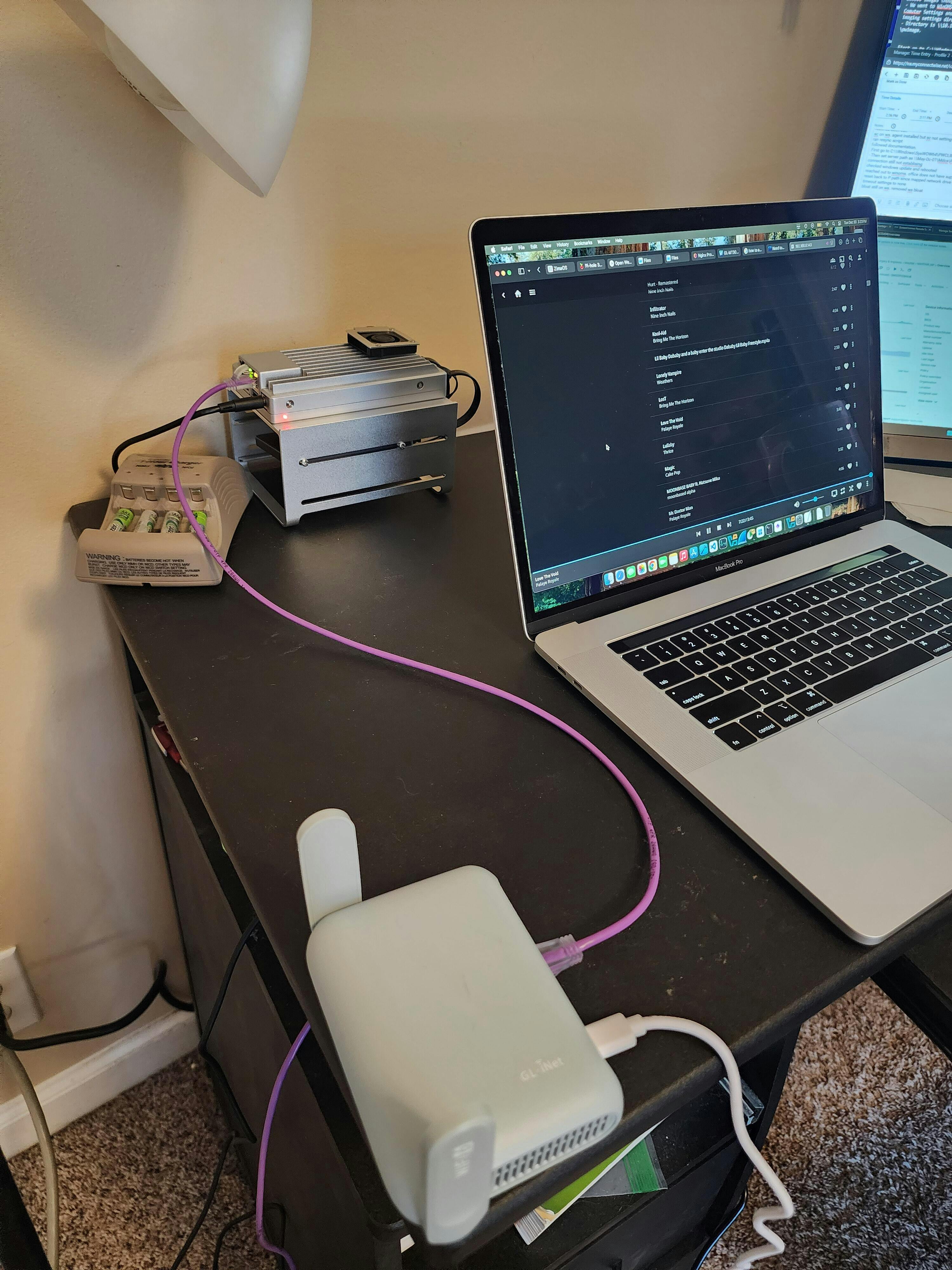
A brilliant follow up to the original ZimaBoard that provides a much more modern (& powerful) CPU with an upgraded PCIe slot (2.0 to 3.0), that opens up a lot more home-lab opportunities.
Able to run VMs, Backup, Plex & Immich services much faster and more efficiently when compared to the previous gen; and all of this in a similar small & portable footprint.
Highly recommend it to anyone wanting to get in to the world of Home Lab setups, at a very affordable price point.
Since receiving the new Zimaboard2 I have done so much much, I’ve installed many Linux Distros and reinstalled ZimaOS. The PCI have been great, I’ve docked a GPU to play with AI models. Exploring docker containers, have been helpful to decide which application to adopt in my homelab. Thank you, IceWhale Team to make this happen.
The initial setup wasn't complicated; zimaOS is very simple and straightforward. We'll see how it goes with the NAS and backup features later.
ZimaBoard 2 - Hyper Performance Single Board Home Server
Your cart is currently empty.
Start Shopping-

 ZimaBoard 2 - Hyper Performance Single Board Home Server From $219.00 USD /
 -

 ZimaBlade - Single Board Server for Cyber Native From $69.00 USD /
 -
 ZimaBoard 2 Mini Nas Kit for Home Server & Personal Cloud From $349.00 USD /


